Showing posts with label 11gR2. Show all posts

Sunday, February 14, 2016

Restoring OCR and Vote Disks on Block Devices in a 11gR2 Cluster (11.2.0.4)

Using block or raw devices for OCR and vote disks is not supported for new installation of 11.2. However it is supported for upgraded systems. Following is from the Oracle clusterware admin guide "Oracle Universal Installer for Oracle Clusterware 11g release 2 (11.2), does not support the use of raw or block devices. However, if you upgrade from a previous Oracle Clusterware release, then you can continue to use raw or block devices. Oracle recommends that you use Oracle ASM to store OCR and voting disks." On 12c block devices are not supported at all and ocr and vote disks must be moved to ASM before the upgrade.
However if chosen the ocr and vote disks can remain in block devices such as after upgrade from 11.1.0.7 to 11.2.0.4 (or 11.2.0.3). In 10g and 11gR1 clusters the vote disk was backed up using dd command. However this is not supported on 11.2. Following is from the clusterware admin guide "The dd commands used to back up and recover voting disks in previous versions of Oracle Clusterware are not supported in Oracle Clusterware 11g release 2 (11.2). Restoring voting disks that were copied using dd or cp commands can prevent the Oracle Clusterware 11g release 2 (11.2) stack from coming up." On 11.2 vote disks are not needed to be backed up separately. From clusterware admin "In Oracle Clusterware 11g release 2 (11.2), you no longer have to back up the voting disk. The voting disk data is automatically backed up in OCR as part of any configuration change and is automatically restored to any voting disk added."
So only the OCR is needed to be backed up and this could be used to restore both ocr and vote disk. This post shows steps for restoring OCR and vote disks that are stored on block devices (after all of the ocr and vote disks have failed or corrupted). The environment used for this is a 11.2.0.4 two node cluster which was previously upgraded from 11.1.0.7.
Two OCR files are
Status of Oracle Cluster Registry is as follows :
         Version                  :          3
         Total space (kbytes)     :     292924
         Used space (kbytes)      :       6452
         Available space (kbytes) :     286472
         ID                       :  675013742
         Device/File Name         :  /dev/sdb1
                                    Device/File integrity check succeeded
         Device/File Name         :  /dev/sde1
                                    Device/File integrity check succeeded
         Cluster registry integrity check succeeded

         Logical corruption check succeeded
and the vote disks
##  STATE    File Universal Id                File Name Disk group
--  -----    -----------------                --------- ---------
 1. ONLINE   6cc871618b1e5f9fbf795315f36b3c21 (/dev/sdh1) []
 2. ONLINE   8f988bcfda0b5fe0bf783f44e81d3f66 (/dev/sdf1) []
 3. ONLINE   6af6320f0979dff7bf6fa474cea2765a (/dev/sdg1) []
OCR and vote disks all were corrupted with dd command
 for i in /dev/sdb1 /dev/sde1 /dev/sdh1 /dev/sdg1 /dev/sdf1
> do
> dd if=/dev/zero of=$i bs=8192 count=1000
> done
This results in OCR and vote disks becoming unusable. Below output shows vote disk state pending offline
crsctl query css votedisk
##  STATE    File Universal Id                File Name Disk group
--  -----    -----------------                --------- ---------
 1. PENDOFFL 6cc871618b1e5f9fbf795315f36b3c21 (/dev/sdh1) []
 2. PENDOFFL 8f988bcfda0b5fe0bf783f44e81d3f66 (/dev/sdf1) []
 3. PENDOFFL 6af6320f0979dff7bf6fa474cea2765a (/dev/sdg1) []
Following message could be observed on ocssd.log
2016-01-15 17:08:16.921: [    CSSD][3422501184]clssnmvVoteDiskValidation: Voting disk /dev/sdh1 is corrupted
2016-01-15 17:08:16.921: [    CSSD][3422501184]clssnmvWorkerThread: disk /dev/sdh1 corrupted
2016-01-15 17:08:16.921: [    CSSD][3422501184]clssnmvDiskAvailabilityChange: voting file /dev/sdh1 now offline
2016-01-15 17:08:17.405: [   SKGFD][3419347264]Lib :UFS:: closing handle 0x85937a0 for disk :/dev/sdh1:

2016-01-15 17:08:20.746: [    CSSD][3412990272]clssnmvVoteDiskValidation: Voting disk /dev/sdg1 is corrupted
2016-01-15 17:08:20.746: [    CSSD][3412990272]clssnmvWorkerThread: disk /dev/sdg1 corrupted
2016-01-15 17:08:20.746: [    CSSD][3412990272]clssnmvDiskAvailabilityChange: voting file /dev/sdg1 now offline
2016-01-15 17:08:20.901: [   SKGFD][3422501184]Lib :UFS:: closing handle 0x86afd90 for disk :/dev/sdh1:
Eventually the two nodes got rebooted after which the OCR and vote disk restore process began.
Stop clusterware on all nodes with -f option.
# crsctl stop crs -f
At times this could take a while. Quickest option was to disable crs and reboot the nodes. Once nodes starts enable crs again but do not start the cluster stack.


When clusterware stack is down on all nodes, start it only on a single node with exclusive and nocrs options.
crsctl start crs -excl -nocrs
CRS-4123: Oracle High Availability Services has been started.
CRS-2672: Attempting to start 'ora.mdnsd' on 'rac1'
CRS-2676: Start of 'ora.mdnsd' on 'rac1' succeeded
CRS-2672: Attempting to start 'ora.gpnpd' on 'rac1'
CRS-2676: Start of 'ora.gpnpd' on 'rac1' succeeded
CRS-2672: Attempting to start 'ora.cssdmonitor' on 'rac1'
CRS-2672: Attempting to start 'ora.gipcd' on 'rac1'
CRS-2676: Start of 'ora.cssdmonitor' on 'rac1' succeeded
CRS-2676: Start of 'ora.gipcd' on 'rac1' succeeded
CRS-2672: Attempting to start 'ora.cssd' on 'rac1'
CRS-2672: Attempting to start 'ora.diskmon' on 'rac1'
CRS-2676: Start of 'ora.diskmon' on 'rac1' succeeded
CRS-2676: Start of 'ora.cssd' on 'rac1' succeeded
If crsd process is running stop it.
crsctl stop resource ora.crsd -init
Restore the OCR with a backup
#ocrconfig -restore /opt/app/11.2.0/grid/cdata/cg_11g_cluster/backup_20160115_170721.ocr
# ocrcheck
Status of Oracle Cluster Registry is as follows :
         Version                  :          3
         Total space (kbytes)     :     292924
         Used space (kbytes)      :       6452
         Available space (kbytes) :     286472
         ID                       :  675013742
         Device/File Name         :  /dev/sdb1
                                    Device/File integrity check succeeded
         Device/File Name         :  /dev/sde1
                                    Device/File integrity check succeeded

         Cluster registry integrity check succeeded

         Logical corruption check succeeded
As seen from the ocrcheck output the ocr files were restored to the original location listed on the ocr.loc file.
At this stage the vote disks are still not listed.
crsctl query css votedisk
Located 0 voting disk(s).
To restore the vote disks run add votedisk specifying the block device locations (replace votedisk is not applicable for non-ASM locations).
# crsctl add css  votedisk /dev/sdh1 /dev/sdg1 /dev/sdf1
Now formatting voting disk: /dev/sdh1.
Now formatting voting disk: /dev/sdg1.
Now formatting voting disk: /dev/sdf1.
CRS-4603: Successful addition of voting disk /dev/sdh1.
CRS-4603: Successful addition of voting disk /dev/sdg1.
CRS-4603: Successful addition of voting disk /dev/sdf1.
[root@rac1 oracle]# crsctl query css votedisk
##  STATE    File Universal Id                File Name Disk group
--  -----    -----------------                --------- ---------
 1. ONLINE   274a68a133e84f65bf3b7b7e966f3862 (/dev/sdh1) []
 2. ONLINE   b0615b1176ef4f12bfdd34c115620249 (/dev/sdg1) []
 3. ONLINE   b1eb954b7a454f32bf0c54f252776c1d (/dev/sdf1) []
Stop the clusterware stack on this node
 crsctl stop crs -f
and start the clusteware stack on all nodes
crsctl start crs -nowait
This concludes steps for restoring OCR and vote disk on a 11.2.0.4 cluster when they are stored on block devices.

Useful Metalink note
How to restore ASM based OCR after complete loss of the CRS diskgroup on Linux/Unix systems [ID 1062983.1]
Bug 12543757 : UNABLE TO MOVE VOTING DISK FROM RAW DEVICES TO NFS

Related Posts
Restoring OCR due to ASM disk failures - 1
Restoring OCR due to ASM disk failures - 2
Restoring Vote disk due to ASM disk failures - 1
Restoring Vote disk due to ASM disk failures - 2
Restoring Vote disk due to ASM disk failures - 3
Restoring OCR & Vote disk due to ASM disk failures - 1
Restoring OCR & Vote disk due to ASM disk failures - 2
Restoring OCR & Vote disk due to ASM disk failures - 3

Wednesday, October 16, 2013

Upgrade from 11.1.0.7 to 11.2.0.4 (Clusterware, ASM & RAC)

This is not a step by step guide to upgrading from 11.1.0.7 to 11.2.0.4. There's an earlier post which shows upgrading from 11.1.0.7 to 11.2.0.3 and this post is a follow up to that highlighting mainly the differences. For oracle documentation and useful metalink notes refer the previous post. The 11.1 environment used is a clone of the one used for the previous post.
First difference encountered during the upgrade to 11.2.0.4 is on the cluvfy
./runcluvfy.sh stage -pre crsinst -upgrade -n rac1,rac2 -rolling -src_crshome /opt/crs/oracle/product/11.1.0/crs -dest_crshome /opt/app/11.2.0/grid -dest_version 11.2.0.4.0 -fixup  -verbose
Running the cluvfy that came with the installation media flagged several per-requisites as failed. This seem to be an issue/bug on the 11.2.0.4 installation's cluvfy as the per-requisites that were flagged as failed were successful when evaluated with a 11.2.0.3 cluvfy and the checked values hasn't changed from 11.2.0.3 to 11.2.0.4. For the most part the failures were when evaluating the remote node. If the node running the cluvfy was changed (earlier remote node becomes the local node running the cluvfy) then per-requisites that were flagged as failed are now successful and same per-requisites are flagged as failed on the new remote node. In short the runcluvfy.sh that comes with the 11.2.0.4 installation media(in file p13390677_112040_Linux-x86-64_3of7.zip) is not useful in evaluating the per-requisites for upgrade are met. Following is the list of per-requisites that had issues, clvufy was run from node called rac1 (local node) and in this case rac2 is the remote node
Check: Free disk space for "rac2:/opt/app/11.2.0/grid,rac2:/tmp"
  Path              Node Name     Mount point   Available     Required      Status
  ----------------  ------------  ------------  ------------  ------------  ------------
  /opt/app/11.2.0/grid  rac2          UNKNOWN       NOTAVAIL      7.5GB         failed
  /tmp              rac2          UNKNOWN       NOTAVAIL      7.5GB         failed
Result: Free disk space check failed for "rac2:/opt/app/11.2.0/grid,rac2:/tmp"
cluvfy seem unable to get the space usage from the remote node. When cluvfy was run from rac2 space check on rac2 was passed and space check on rac1 would fail.
Checking for Oracle patch "11724953" in home "/opt/crs/oracle/product/11.1.0/crs".
  Node Name     Applied                   Required                  Comment
  ------------  ------------------------  ------------------------  ----------
  rac2          missing                   11724953                  failed
  rac1          11724953                  11724953                  passed
Result: Check for Oracle patch "11724953" in home "/opt/crs/oracle/product/11.1.0/crs" failed
Patch 11724953 (2011 April CRS PSU) is required to be present in the 11.1 environment before the upgrade to 11.2.0.4 and cluvfy is unable to verify this on the remote node. This could be manually checked with OPatch.
Check: TCP connectivity of subnet "192.168.0.0"
  Source                          Destination                     Connected?
  ------------------------------  ------------------------------  ----------------
  rac1:192.168.0.85               rac2:192.168.0.85               failed

ERROR:
PRVF-7617 : Node connectivity between "rac1 : 192.168.0.85" and "rac2 : 192.168.0.85" failed
  rac1:192.168.0.85               rac2:192.168.0.89               failed

ERROR:
PRVF-7617 : Node connectivity between "rac1 : 192.168.0.85" and "rac2 : 192.168.0.89" failed
  rac1:192.168.0.85               rac1:192.168.0.89               failed

ERROR:
PRVF-7617 : Node connectivity between "rac1 : 192.168.0.85" and "rac1 : 192.168.0.89" failed
Result: TCP connectivity check failed for subnet "192.168.0.0"
Some of the node connectivity checks also fails. Oddly enough using cluvfy's own nodereach and nodecon checks pass.
ERROR:
PRVF-5449 : Check of Voting Disk location "/dev/sdb2(/dev/sdb2)" failed on the following nodes:
        rac2
        rac2:GetFileInfo command failed.

PRVF-5431 : Oracle Cluster Voting Disk configuration check failed
Even though cvuqdisk-1.0.9-1.rpm is installed sharedness check for vote disk fails on the remote node. (update 2015/02/20 : workaround for this error is given on 1599025.1)
Apart from cluvfy, raccheck could also be used to evaluate the upgrade readiness.
raccheck -u -o pre
Even though cluvfy fails to evaluate certain per-requisites OUI is able to evaluate all without any issue. Below is the output from the OUI

Create additional user groups for ASM administration (refer the previous post) and begin the clusterware upgrade. It is possible to upgrade ASM after the clusterware upgrade but in this case ASM is upgraded at the same time as the clusterware. This is a out-of-place rolling upgrade. The clusterware stack will be up until rootupgrade.sh is run. Versions before the upgrade
[oracle@rac1 ~]$ crsctl query crs activeversion
Oracle Clusterware active version on the cluster is [11.1.0.7.0]

[oracle@rac1 ~]$ crsctl query crs softwareversion rac1
Oracle Clusterware version on node [rac1] is [11.1.0.7.0]

[oracle@rac1 ~]$ crsctl query crs softwareversion rac2
Oracle Clusterware version on node [rac2] is [11.1.0.7.0]

[oracle@rac1 ~]$ crsctl query crs releaseversion
11.1.0.7.0
Summary page
Rootupgrade execution output from rac1 node
[root@rac1 ~]# /opt/app/11.2.0/grid/rootupgrade.sh
Performing root user operation for Oracle 11g

The following environment variables are set as:
    ORACLE_OWNER= oracle
    ORACLE_HOME=  /opt/app/11.2.0/grid

Enter the full pathname of the local bin directory: [/usr/local/bin]:
The contents of "dbhome" have not changed. No need to overwrite.
The file "oraenv" already exists in /usr/local/bin.  Overwrite it? (y/n)
[n]: y
   Copying oraenv to /usr/local/bin ...
The file "coraenv" already exists in /usr/local/bin.  Overwrite it? (y/n)
[n]: y
   Copying coraenv to /usr/local/bin ...

Entries will be added to the /etc/oratab file as needed by
Database Configuration Assistant when a database is created
Finished running generic part of root script.
Now product-specific root actions will be performed.
Using configuration parameter file: /opt/app/11.2.0/grid/crs/install/crsconfig_params
Creating trace directory
Installing Trace File Analyzer
OLR initialization - successful
  root wallet
  root wallet cert
  root cert export
  peer wallet
  profile reader wallet
  pa wallet
  peer wallet keys
  pa wallet keys
  peer cert request
  pa cert request
  peer cert
  pa cert
  peer root cert TP
  profile reader root cert TP
  pa root cert TP
  peer pa cert TP
  pa peer cert TP
  profile reader pa cert TP
  profile reader peer cert TP
  peer user cert
  pa user cert
Replacing Clusterware entries in inittab
clscfg: EXISTING configuration version 4 detected.
clscfg: version 4 is 11 Release 1.
Successfully accumulated necessary OCR keys.
Creating OCR keys for user 'root', privgrp 'root'..
Operation successful.
Configure Oracle Grid Infrastructure for a Cluster ... succeeded
This will update the software version but active version will remain the lower version of 11.1 until all nodes are upgraded.
[oracle@rac1 ~]$ crsctl query crs activeversion
Oracle Clusterware active version on the cluster is [11.1.0.7.0]

[oracle@rac1 ~]$ crsctl query crs softwareversion
Oracle Clusterware version on node [rac1] is [11.2.0.4.0]
Rootupgrade output from node rac2 (last node)
[root@rac2 ~]# /opt/app/11.2.0/grid/rootupgrade.sh
Performing root user operation for Oracle 11g

The following environment variables are set as:
    ORACLE_OWNER= oracle
    ORACLE_HOME=  /opt/app/11.2.0/grid

Enter the full pathname of the local bin directory: [/usr/local/bin]:
The contents of "dbhome" have not changed. No need to overwrite.
The file "oraenv" already exists in /usr/local/bin.  Overwrite it? (y/n)
[n]: y
   Copying oraenv to /usr/local/bin ...
The file "coraenv" already exists in /usr/local/bin.  Overwrite it? (y/n)
[n]: y
   Copying coraenv to /usr/local/bin ...

Entries will be added to the /etc/oratab file as needed by
Database Configuration Assistant when a database is created
Finished running generic part of root script.
Now product-specific root actions will be performed.
Using configuration parameter file: /opt/app/11.2.0/grid/crs/install/crsconfig_params
Creating trace directory
Installing Trace File Analyzer
OLR initialization - successful
Replacing Clusterware entries in inittab
clscfg: EXISTING configuration version 5 detected.
clscfg: version 5 is 11g Release 2.
Successfully accumulated necessary OCR keys.
Creating OCR keys for user 'root', privgrp 'root'..
Operation successful.
Start upgrade invoked..
Started to upgrade the Oracle Clusterware. This operation may take a few minutes.
Started to upgrade the OCR.
Started to upgrade the CSS.
Started to upgrade the CRS.
The CRS was successfully upgraded.
Successfully upgraded the Oracle Clusterware.
Oracle Clusterware operating version was successfully set to 11.2.0.4.0
Configure Oracle Grid Infrastructure for a Cluster ... succeeded
Active version is updated to 11.2.0.4
[oracle@rac2 ~]$ crsctl query crs activeversion
Oracle Clusterware active version on the cluster is [11.2.0.4.0]
Once the OK button on "Execute Configuration Script" dialog is clicked it will start the execution of set of configuration assistants and ASMCA among them. ASM upgrade is done in a rolling fashion and following could be seen on the ASM alert log
Tue Oct 15 12:52:37 2013
ALTER SYSTEM START ROLLING MIGRATION TO 11.2.0.4.0
Once the configuration assistants are run clusterware upgrade is complete. It must also be noted that the upgraded environment had OCR and Vote disk using block devices
[oracle@rac1 ~]$ crsctl query css votedisk
##  STATE    File Universal Id                File Name Disk group
--  -----    -----------------                --------- ---------
 1. ONLINE   9687be081c784f98bf9166d561d875b0 (/dev/sdb2) []
Located 1 voting disk(s).
If it's planned to upgrade to 12c (from 11.2) these must be moved to an ASM diskgroup.
Check and change auto start status of certain resources so they are always brought up
>   'BEGIN {printf "%-35s %-25s %-18s\n", "Resource Name", "Type", "Auto Start State";
>           printf "%-35s %-25s %-18s\n", "-----------", "------", "----------------";}'
Resource Name                       Type                      Auto Start State
-----------                         ------                    ----------------
[oracle@rac1 ~]$ crsctl stat res -p | egrep -w "NAME|TYPE|AUTO_START" | grep -v DEFAULT_TEMPLATE | awk \
>  'BEGIN { FS="="; state = 0; }
>   $1~/NAME/ {appname = $2; state=1};
>   state == 0 {next;}
>   $1~/TYPE/ && state == 1 {apptarget = $2; state=2;}
>   $1~/AUTO_START/ && state == 2 {appstate = $2; state=3;}
>   state == 3 {printf "%-35s %-25s %-18s\n", appname, apptarget, appstate; state=0;}'
ora.DATA.dg                         ora.diskgroup.type        never
ora.FLASH.dg                        ora.diskgroup.type        never
ora.LISTENER.lsnr                   ora.listener.type         restore
ora.LISTENER_SCAN1.lsnr             ora.scan_listener.type    restore
ora.asm                             ora.asm.type              never
ora.cvu                             ora.cvu.type              restore
ora.gsd                             ora.gsd.type              always
ora.net1.network                    ora.network.type          restore
ora.oc4j                            ora.oc4j.type             restore
ora.ons                             ora.ons.type              always
ora.rac1.vip                        ora.cluster_vip_net1.type restore
ora.rac11g1.db                      application               1
ora.rac11g1.rac11g11.inst           application               1
ora.rac11g1.rac11g12.inst           application               1
ora.rac11g1.bx.cs                  application               1
ora.rac11g1.bx.rac11g11.srv        application               restore
ora.rac11g1.bx.rac11g12.srv        application               restore
ora.rac2.vip                        ora.cluster_vip_net1.type restore
ora.registry.acfs                   ora.registry.acfs.type    restore
ora.scan1.vip                       ora.scan_vip.type         restore
Remove the old 11.1 clusterware installation.
During the database shutdown (and before DB was upgraded to 11.2 version) following was seen during the cluster resrouce stop.
CRS-5809: Failed to execute 'ACTION_SCRIPT' value of '/opt/crs/oracle/product/11.1.0/crs/bin/racgwrap' for 'ora.rac11g1.db'. Error information 'cmd /opt/crs/oracle/product/11.1.0/crs/bin/racgwrap not found', Category : -2, OS error : 2
CRS-2678: 'ora.rac11g1.db' on 'rac1' has experienced an unrecoverable failure
CRS-0267: Human intervention required to resume its availability.
This was due to action_script attribute not being updated to reflect the new clusterware location. To fix this start the clusterware stack and run the following
[root@rac1 oracle]# crsctl modify resource ora.rac11g1.db -attr "ACTION_SCRIPT=/opt/app/11.2.0/grid/bin/racgwrap"
"/opt/app/11.2.0/grid" is the new clusterware home. More on this is available on Pre 11.2 Database Issues in 11gR2 Grid Infrastructure Environment [948456.1]
Post clusterware installation could be checked with cluvyf and raccheck
cluvfy stage -post crsinst -n rac1,rac2
./raccheck -u -o post
This conclude the upgrade of clusteware and ASM. Next step is the upgrade of database.


The database software upgrade is an out-of-place upgrade. Though it is possible for database software, in-place upgrades are not recommended. Unlike the previous post in this upgrade database software is installed first and then database is upgrade. Check the database installation readiness with
cluvfy stage -pre dbinst -upgrade -src_dbhome /opt/app/oracle/product/11.1.0/db_1 -dbname racse11g1 -dest_dbhome /opt/app/oracle/product/11.2.0/dbhome_1 -dest_version 11.2.0.4.0 -verbose -fixup
Unset ORACLE_HOME varaible and run the installation.

Give an different location to current ORACLE_HOME to proceed with the out-of-place upgrade.

Once the database software is installed next step is to upgrade the database. Copy utlu112i.sql from the 11.2 ORACLE_HOME/rdbms/admin to a location outside ORACLE_HOME and run. The pre-upgrade configuration tool utlu112i.sql will list any work needed before the upgrade.
SQL> @utlu112i.sql
SQL> SET SERVEROUTPUT ON FORMAT WRAPPED;
SQL> -- Linesize 100 for 'i' version 1000 for 'x' version
SQL> SET ECHO OFF FEEDBACK OFF PAGESIZE 0 LINESIZE 100;
Oracle Database 11.2 Pre-Upgrade Information Tool 10-15-2013 15:22:44
Script Version: 11.2.0.4.0 Build: 001
.
**********************************************************************
Database:
**********************************************************************
--> name:          RAC11G1
--> version:       11.1.0.7.0
--> compatible:    11.1.0.0.0
--> blocksize:     8192
--> platform:      Linux x86 64-bit
--> timezone file: V4
.
**********************************************************************
Tablespaces: [make adjustments in the current environment]
**********************************************************************
--> SYSTEM tablespace is adequate for the upgrade.
.... minimum required size: 1100 MB
--> SYSAUX tablespace is adequate for the upgrade.
.... minimum required size: 1445 MB
--> UNDOTBS1 tablespace is adequate for the upgrade.
.... minimum required size: 400 MB
--> TEMP tablespace is adequate for the upgrade.
.... minimum required size: 60 MB
.
**********************************************************************
Flashback: OFF
**********************************************************************
**********************************************************************
Update Parameters: [Update Oracle Database 11.2 init.ora or spfile]
Note: Pre-upgrade tool was run on a lower version 64-bit database.
**********************************************************************
--> If Target Oracle is 32-Bit, refer here for Update Parameters:
-- No update parameter changes are required.
.

--> If Target Oracle is 64-Bit, refer here for Update Parameters:
-- No update parameter changes are required.
.
**********************************************************************
Renamed Parameters: [Update Oracle Database 11.2 init.ora or spfile]
**********************************************************************
-- No renamed parameters found. No changes are required.
.
**********************************************************************
Obsolete/Deprecated Parameters: [Update Oracle Database 11.2 init.ora or spfile]
**********************************************************************
-- No obsolete parameters found. No changes are required
.

**********************************************************************
Components: [The following database components will be upgraded or installed]
**********************************************************************
--> Oracle Catalog Views         [upgrade]  VALID
--> Oracle Packages and Types    [upgrade]  VALID
--> JServer JAVA Virtual Machine [upgrade]  VALID
--> Oracle XDK for Java          [upgrade]  VALID
--> Real Application Clusters    [upgrade]  VALID
--> Oracle Workspace Manager     [upgrade]  VALID
--> OLAP Analytic Workspace      [upgrade]  VALID
--> OLAP Catalog                 [upgrade]  VALID
--> EM Repository                [upgrade]  VALID
--> Oracle Text                  [upgrade]  VALID
--> Oracle XML Database          [upgrade]  VALID
--> Oracle Java Packages         [upgrade]  VALID
--> Oracle interMedia            [upgrade]  VALID
--> Spatial                      [upgrade]  VALID
--> Oracle Ultra Search          [upgrade]  VALID
--> Expression Filter            [upgrade]  VALID
--> Rule Manager                 [upgrade]  VALID
--> Oracle Application Express   [upgrade]  VALID
... APEX will only be upgraded if the version of APEX in
... the target Oracle home is higher than the current one.
--> Oracle OLAP API              [upgrade]  VALID
.
**********************************************************************
Miscellaneous Warnings
**********************************************************************
WARNING: --> The "cluster_database" parameter is currently "TRUE"
.... and must be set to "FALSE" prior to running a manual upgrade.
WARNING: --> Database is using a timezone file older than version 14.
.... After the release migration, it is recommended that DBMS_DST package
.... be used to upgrade the 11.1.0.7.0 database timezone version
.... to the latest version which comes with the new release.
WARNING: --> Database contains INVALID objects prior to upgrade.
.... The list of invalid SYS/SYSTEM objects was written to
.... registry$sys_inv_objs.
.... The list of non-SYS/SYSTEM objects was written to
.... registry$nonsys_inv_objs.
.... Use utluiobj.sql after the upgrade to identify any new invalid
.... objects due to the upgrade.
.... USER ASANGA has 1 INVALID objects.
WARNING: --> EM Database Control Repository exists in the database.
.... Direct downgrade of EM Database Control is not supported. Refer to the
.... Upgrade Guide for instructions to save the EM data prior to upgrade.
WARNING: --> Ultra Search is not supported in 11.2 and must be removed
.... prior to upgrading by running rdbms/admin/wkremov.sql.
.... If you need to preserve Ultra Search data
.... please perform a manual cold backup prior to upgrade.
WARNING: --> Your recycle bin contains 4 object(s).
.... It is REQUIRED that the recycle bin is empty prior to upgrading
.... your database.  The command:
        PURGE DBA_RECYCLEBIN
.... must be executed immediately prior to executing your upgrade.
WARNING: --> Database contains schemas with objects dependent on DBMS_LDAP package.
.... Refer to the 11g Upgrade Guide for instructions to configure Network ACLs.
.... USER WKSYS has dependent objects.
.... USER FLOWS_030000 has dependent objects.
.
**********************************************************************
Recommendations
**********************************************************************
Oracle recommends gathering dictionary statistics prior to
upgrading the database.
To gather dictionary statistics execute the following command
while connected as SYSDBA:

    EXECUTE dbms_stats.gather_dictionary_stats;

**********************************************************************
Oracle recommends removing all hidden parameters prior to upgrading.

To view existing hidden parameters execute the following command
while connected AS SYSDBA:

    SELECT name,description from SYS.V$PARAMETER WHERE name
        LIKE '\_%' ESCAPE '\'

Changes will need to be made in the init.ora or spfile.

**********************************************************************
Oracle recommends reviewing any defined events prior to upgrading.

To view existing non-default events execute the following commands
while connected AS SYSDBA:
  Events:
    SELECT (translate(value,chr(13)||chr(10),' ')) FROM sys.v$parameter2
      WHERE  UPPER(name) ='EVENT' AND  isdefault='FALSE'

  Trace Events:
    SELECT (translate(value,chr(13)||chr(10),' ')) from sys.v$parameter2
      WHERE UPPER(name) = '_TRACE_EVENTS' AND isdefault='FALSE'

Changes will need to be made in the init.ora or spfile.

**********************************************************************
Elapsed: 00:00:01.26
For 11.1.0.7 to 11.2.0.4 upgrades if the database timezone is less than 14 there's no additional patches needed before the upgrade. But it's recommended to upgrade the database to 11.2.0.4 timezone once the upgrade is done. Timezone upgrade could also be done at the same time as database upgrade using DBUA. More on 1562142.1
If there are large number of records in AUD$ and FGA_LOG$ tables, pre-processing these tables could speed up the database upgrade. More on 1329590.1
Large amount of files in $ORACLE_HOME/`hostname -s`_$ORACLE_SID/sysman/emd/upload location could also lengthen the upgrade time. Refer 870814.1 and 837570.1 for more information.
Upgrade summary before DBUA is executed

Upgrade summary after the upgrade

Since in 11.2 versions _external_scn_rejection_threshold_hours is set to 24 by default commenting of this parameter after the upgrade is not a problem.
Check the timezone values of the upgraded database.
SQL> SELECT PROPERTY_NAME, SUBSTR(property_value, 1, 30) value
  2          FROM DATABASE_PROPERTIES
  3          WHERE PROPERTY_NAME LIKE 'DST_%'
  4          ORDER BY PROPERTY_NAME;

PROPERTY_NAME                  VALUE
------------------------------ ----------
DST_PRIMARY_TT_VERSION         14
DST_SECONDARY_TT_VERSION       0
DST_UPGRADE_STATE              NONE


SQL>  SELECT VERSION FROM v$timezone_file;

   VERSION
----------
        14

SQL> select TZ_VERSION from registry$database;

TZ_VERSION
----------
         4
If timezone_file value and value shown in database registry differ then registry could be updated as per 1509653.1
SQL> update registry$database set TZ_VERSION = (select version FROM v$timezone_file);

1 row updated.

SQL> commit;

Commit complete.

SQL> select TZ_VERSION from registry$database;

TZ_VERSION
----------
        14
Remote listener parameter will contain both scan VIP and pre-11.2 value. This could be reset to have only thee SCAN IPs.
SQL> select name,value from v$parameter where name='remote_listener';

NAME            VALUE
--------------- ----------------------------------------
remote_listener LISTENERS_RAC11G1, rac-scan-vip:1521
Finally update the compatible parameter to 11.2.0.4 once the upgrade is deemed satisfactory. This concludes the upgrade from 11.1.0.7 to 11.2.0.4

Useful metalink notes
RACcheck Upgrade Readiness Assessment [ID 1457357.1]
Complete Checklist for Manual Upgrades to 11gR2 [ID 837570.1]
Complete Checklist to Upgrade the Database to 11gR2 using DBUA [ID 870814.1]
Pre 11.2 Database Issues in 11gR2 Grid Infrastructure Environment [ID 948456.1]
Things to Consider Before Upgrading to 11.2.0.3/11.2.0.4 Grid Infrastructure/ASM [ID 1363369.1]
Actions For DST Updates When Upgrading To Or Applying The 11.2.0.4 Patchset [ID 1579838.1]
How to Pre-Process SYS.AUD$ Records Pre-Upgrade From 10.1 or later to 11gR1 or later. [ID 1329590.1]
Things to Consider Before Upgrading to 11.2.0.3 to Avoid Poor Performance or Wrong Results [ID 1392633.1]
Things to Consider Before Upgrading to 11.2.0.4 to Avoid Poor Performance or Wrong Results [ID 1645862.1]
Things to Consider Before Upgrading to Avoid Poor Performance or Wrong Results (11.2.0.X) [ID 1904820.1]

Related Posts
Upgrading from 10.2.0.4 to 10.2.0.5 (Clusterware, RAC, ASM)
Upgrade from 10.2.0.5 to 11.2.0.3 (Clusterware, RAC, ASM)
Upgrade from 11.1.0.7 to 11.2.0.3 (Clusterware, ASM & RAC)
Upgrading from 11.1.0.7 to 11.2.0.3 with Transient Logical Standby
Upgrading from 11.2.0.1 to 11.2.0.3 with in-place upgrade for RAC
In-place upgrade from 11.2.0.2 to 11.2.0.3
Upgrading from 11.2.0.2 to 11.2.0.3 with Physical Standby - 1
Upgrading from 11.2.0.2 to 11.2.0.3 with Physical Standby - 2
Upgrading from 11gR2 (11.2.0.3) to 12c (12.1.0.1) Grid Infrastructure
Upgrading RAC from 11.2.0.4 to 12.1.0.2 - Grid Infrastructure

Update on 2016-01-05

On a recent upgrade two pre-req checks failed which were successful on some of the earlier environments.
First one was related to ASMLib check.
Checking ASMLib configuration.
  Node Name                             Status
  ------------------------------------  ------------------------
  abx-db2                               (failed) ASMLib configuration is incorrect.
  abx-db1                               (failed) ASMLib configuration is incorrect.
Result: Check for ASMLib configuration failed.
However according to Linux: cluvfy reports "ASMLib configuration is incorrect" (Doc ID 1541309.1) this is ignorable if the manual check of the ASMLib status returns OK.
Second one was OCR sharedness.
Checking OCR integrity...
Check for compatible storage device for OCR location "/dev/mapper/mpath1p1"...

Checking OCR device "/dev/mapper/mpath1p1" for sharedness...
ERROR:
PRVF-4172 : Check of OCR device "/dev/mapper/mpath1p1" for sharedness failed
Could not find the storage
Check for compatible storage device for OCR location "/dev/mapper/mpath2p1"...

Checking OCR device "/dev/mapper/mpath2p1" for sharedness...
ERROR:
PRVF-4172 : Check of OCR device "/dev/mapper/mpath2p1" for sharedness failed
Could not find the storage

OCR integrity check failed
Again this is ignorable according to PRVF-4172 Check Of OCR Device For Sharedness Failed (Doc ID 1600719.1) and INS-20802 PRVF-4172 Reported after Successful Upgrade to 11gR2 Grid Infrastructure (Doc ID 1051763.1). These MOS notes refer mostly for solaris but the environment in this case was Linux 64-bit (RHEL 5).

Update on 2016-01-15

During the ASM upgrade following error could be seen on the ASM alert log where ASM upgrade is happening.
ALTER SYSTEM STOP ROLLING MIGRATION
KSXP:RM:       ->
KSXP:RM:       ->arg:[hgTo6 (111070->112040) @ inrm3, pay 30203]
KSXP:RM:       ->rm:[cver 30203 nver 30204 cifv 0 swtch/ing 1/0 flux 3 lastunrdy 0/put4]
KSXP:RM:       ->pages:[cur 2 refs 25 tot 25]
KSXP:RM:       ->oob:[ia changed 0 sync 1 lw 0 sg 0 sg_a 0 ssg 0 parm 0]
KSXP:RM:       ->ia:[changed 0 compat 1 sg1 {[0/1]=192.168.1.87} sg2 {[0/1]=192.168.1.87}]
KSXP:RM:  RET hgTo [SKGXP] incompat3 [not-native] at 112040
KSXP:RM:       ->
Errors in file /opt/app/oracle/diag/asm/+asm/+ASM1/trace/+ASM1_rbal_5838.trc:
ORA-15160: rolling migration internal fatal error in module SKGXP,hgTo:not-native
Private Interface 'eth1:1' configured from GPnP for use as a private interconnect.
  [name='eth1:1', type=1, ip=169.254.239.174, mac=08-00-27-79-49-de, net=169.254.0.0/16, mask=255.255.0.0, use=haip:cluster_interconnect/62]
  [name='eth0', type=1, ip=192.168.0.85, mac=08-00-27-c4-55-af, net=192.168.0.0/24, mask=255.255.255.0, use=public/1]
  [name='eth0:1', type=1, ip=192.168.0.89, mac=08-00-27-c4-55-af, net=192.168.0.0/24, mask=255.255.255.0, use=public/1]
  [name='eth0:2', type=1, ip=192.168.0.92, mac=08-00-27-c4-55-af, net=192.168.0.0/24, mask=255.255.255.0, use=public/1]
Cluster communication is configured to use the following interface(s) for this instance
  169.254.239.174
There are two MOS notes regarding this error.
ORA-15160: rolling migration internal fatal error in module SKGXP,valNorm:not-native (Doc ID 1682591.1)
Oracle Clusterware and RAC Support for RDS Over Infiniband (Doc ID 751343.1)
However the solutions mentioned in the MOS notes are not needed if before the upgrade ASM instances were using the UDP protocol. This could be verified looking at the ASM alert log. Before the upgrade on ASM alert log
Starting up ORACLE RDBMS Version: 11.1.0.7.0.
Using parameter settings in server-side pfile /opt/app/oracle/product/11.1.0/asm/dbs/init+ASM1.ora
Cluster communication is configured to use the following interface(s) for this instance
  10.0.3.2
cluster interconnect IPC version:Oracle UDP/IP (generic)
After the upgrade on the ASM alert log
ORACLE_HOME = /opt/app/11.2.0/grid
Using parameter settings in server-side spfile /dev/mapper/mpath6p1
Cluster communication is configured to use the following interface(s) for this instance
  169.254.213.90
cluster interconnect IPC version:Oracle UDP/IP (generic)
If the upgraded database edition is standard then refer the following posts to rectify expdp/impdp related issues.
DBMS_AW_EXP: SYS.AW$EXPRESS: OLAP not enabled After Upgrading to 11.2.0.4 Standard Edition
ORA-39127: unexpected error from call to export_string :=SYS.DBMS_CUBE_EXP.SCHEMA_INFO_EXP while Exporting

Thursday, August 15, 2013

Converting 11gR2 RAC from Standard Edition to Enterprise Edition

The existing system is a 11gR2 (11.2.0.3.7) Standard Edition (SE) RAC with role separation on RHEL 6. The blog post lists the steps for converting the SE RAC to Enterprise Edition (EE) RAC. The SE home is dbhome_1 and EE home is dbhome_2.
1.Take a full backup of the database as precaution in case have to revert back to the standard edition setup again.
2. Since the database home will be updated in the OCR take a backup of the OCR and also take copies of backup files created automatically from all cluster nodes.
[root@rhel6m1 grid]# ocrconfig -manualbackup
rhel6m2     2013/08/14 14:57:27     /opt/app/11.2.0/grid/cdata/rhel6m-cluster/backup_20130814_145727.ocr
3. Get the status of registry components, so validity of these components could be compared before and after the conversion. There are no invalid components before the conversion.
SQL> select comp_id,comp_name,version,status,schema from dba_registry;

COMP_ID  COMP_NAME                                VERSION                        STATUS SCHEMA
-------- ---------------------------------------- ------------------------------ ------ ------
XDB      Oracle XML Database                      11.2.0.3.0                     VALID  XDB
OWM      Oracle Workspace Manager                 11.2.0.3.0                     VALID  WMSYS
EXF      Oracle Expression Filter                 11.2.0.3.0                     VALID  EXFSYS
RUL      Oracle Rules Manager                     11.2.0.3.0                     VALID  EXFSYS
CATALOG  Oracle Database Catalog Views            11.2.0.3.0                     VALID  SYS
CATPROC  Oracle Database Packages and Types       11.2.0.3.0                     VALID  SYS
JAVAVM   JServer JAVA Virtual Machine             11.2.0.3.0                     VALID  SYS
XML      Oracle XDK                               11.2.0.3.0                     VALID  SYS
CATJAVA  Oracle Database Java Packages            11.2.0.3.0                     VALID  SYS
RAC      Oracle Real Application Clusters         11.2.0.3.0                     VALID  SYS

10 rows selected.
4. Find out the patch levels on SE Oracle Home and GI Home. Once the EE is installed and before moving the DB to EE home it must be patched to the same level as the SE Home and not to a higher level than the GI home. The current patches on SE home are
[oracle@rhel6m1 ~]$ /opt/app/oracle/product/11.2.0/dbhome_1/OPatch/opatch lsinventory -local | grep Patch
Oracle Interim Patch Installer version 11.2.0.3.4
OPatch version    : 11.2.0.3.4
Patch  16619892     : applied on Wed Jul 31 13:43:23 BST 2013
Unique Patch ID:  16346737
Patch description:  "Database Patch Set Update : 11.2.0.3.7 (16619892)"
Sub-patch  16056266; "Database Patch Set Update : 11.2.0.3.6 (16056266)"
Sub-patch  14727310; "Database Patch Set Update : 11.2.0.3.5 (14727310)"
Sub-patch  14275605; "Database Patch Set Update : 11.2.0.3.4 (14275605)"
Sub-patch  13923374; "Database Patch Set Update : 11.2.0.3.3 (13923374)"
Sub-patch  13696216; "Database Patch Set Update : 11.2.0.3.2 (13696216)"
Sub-patch  13343438; "Database Patch Set Update : 11.2.0.3.1 (13343438)"
Patch  16619898     : applied on Wed Jul 31 13:42:07 BST 2013
Unique Patch ID:  16376391
Patch description:  "Grid Infrastructure Patch Set Update : 11.2.0.3.7 (16742216)"
OPatch succeeded.
Patches on GI home are
[grid@rhel6m1 ~]$ /opt/app/11.2.0/grid/OPatch/opatch lsinventory -local | grep Patch
Oracle Interim Patch Installer version 11.2.0.3.4
OPatch version    : 11.2.0.3.4
Patch  16619892     : applied on Wed Jul 31 13:54:30 BST 2013
Unique Patch ID:  16346737
Patch description:  "Database Patch Set Update : 11.2.0.3.7 (16619892)"
Sub-patch  16056266; "Database Patch Set Update : 11.2.0.3.6 (16056266)"
Sub-patch  14727310; "Database Patch Set Update : 11.2.0.3.5 (14727310)"
Sub-patch  14275605; "Database Patch Set Update : 11.2.0.3.4 (14275605)"
Sub-patch  13923374; "Database Patch Set Update : 11.2.0.3.3 (13923374)"
Sub-patch  13696216; "Database Patch Set Update : 11.2.0.3.2 (13696216)"
Sub-patch  13343438; "Database Patch Set Update : 11.2.0.3.1 (13343438)"
Patch  16619898     : applied on Wed Jul 31 13:52:27 BST 2013
Unique Patch ID:  16376391
Patch description:  "Grid Infrastructure Patch Set Update : 11.2.0.3.7 (16742216)"
OPatch succeeded.
5. Install the EE across the cluster.
Select install software only option.
Select all the nodes where SE was installed
Select Enterprise Edition
Give the EE home a new location (dbhome_2 where as SE is dbhome_1)
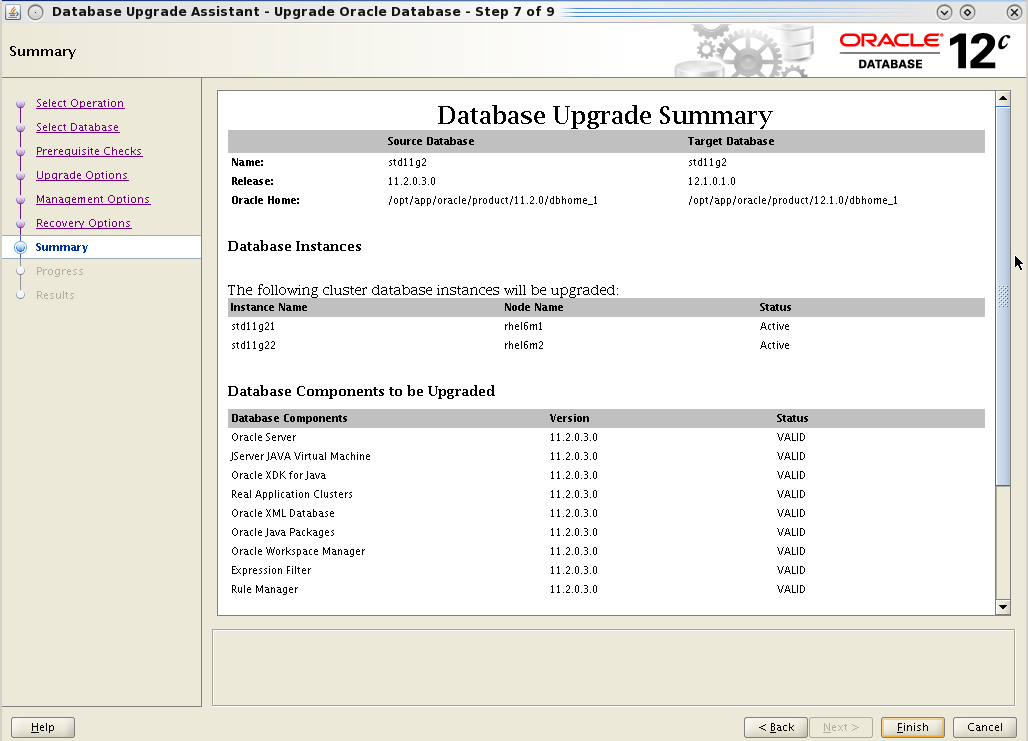
Summary Page

6. Copy init file, password file and sqlnet.ora file (if used for COST) to appropriate location in the new EE home.
[oracle@rhel6m2 ~]$ cd /opt/app/oracle/product/11.2.0/dbhome_2/dbs
[oracle@rhel6m2 dbs]$  cp /opt/app/oracle/product/11.2.0/dbhome_1/dbs/orapwstd11g22 .
[oracle@rhel6m2 dbs]$  cp /opt/app/oracle/product/11.2.0/dbhome_1/dbs/initstd11g22.ora .

[oracle@rhel6m2 ~]$ cd /opt/app/oracle/product/11.2.0/dbhome_2/network/admin
[oracle@rhel6m2 dbs]$  cp /opt/app/oracle/product/11.2.0/dbhome_1/network/admin/sqlnet.ora .
Make sure this is done on all the nodes.


7. Patch the newly installed EE home (refer Case 2.1 section of the metalink note 1494646.1). Use GI_Home to run the opatch auto to avoid the following
Invoking utility "saveconfigurationsnapshot"
 UtilSession failed: This utility only be supported for GI home. Please specify the Oracle Home to the Grid Infrastructure (GI) Home "/opt/app/11.2.0/grid" by option -oh or set it in ORACLE_HOME environment variable
Following could be seen when patch is successfully applied.
/opt/app/11.2.0/grid/OPatch/opatch auto `pwd` -oh /opt/app/oracle/product/11.2.0/dbhome_2 -ocmrf ocm.rsp
 
 Using configuration parameter file: /opt/app/11.2.0/grid/crs/install/crsconfig_params
patch /usr/local/patches/16619898/custom/server/16619898  apply successful for home  /opt/app/oracle/product/11.2.0/dbhome_2
patch /usr/local/patches/16619892  apply successful for home  /opt/app/oracle/product/11.2.0/dbhome_2
Compare the patch applied on EE home is same as SE home checked earlier on step 4
[oracle@rhel6m1 ~]$ $ORACLE_HOME/OPatch/opatch lsinventory -local -oh /opt/app/oracle/product/11.2.0/dbhome_2 | grep Patch
Oracle Interim Patch Installer version 11.2.0.3.4
OPatch version    : 11.2.0.3.4
Patch  16619892     : applied on Thu Aug 15 10:34:09 BST 2013
Unique Patch ID:  16346737
Patch description:  "Database Patch Set Update : 11.2.0.3.7 (16619892)"
Sub-patch  16056266; "Database Patch Set Update : 11.2.0.3.6 (16056266)"
Sub-patch  14727310; "Database Patch Set Update : 11.2.0.3.5 (14727310)"
Sub-patch  14275605; "Database Patch Set Update : 11.2.0.3.4 (14275605)"
Sub-patch  13923374; "Database Patch Set Update : 11.2.0.3.3 (13923374)"
Sub-patch  13696216; "Database Patch Set Update : 11.2.0.3.2 (13696216)"
Sub-patch  13343438; "Database Patch Set Update : 11.2.0.3.1 (13343438)"
Patch  16619898     : applied on Thu Aug 15 10:27:19 BST 2013
Unique Patch ID:  16376391
Patch description:  "Grid Infrastructure Patch Set Update : 11.2.0.3.7 (16742216)"
OPatch succeeded.
8. Verify the oracle executable in the EE home has the correct permissions. The oracle executable permission in the SE home were
oracle@rhel6m1 bin]$ ls -l oracle*
-rwsr-s--x. 1 oracle asmadmin 220193582 Jul 31 13:44 oracle
-rwsr-s--x. 1 oracle asmadmin 220113336 Apr 23 17:37 oracleO
while the newly installed EE had the wrong group ownership.
[oracle@rhel6m1 bin]$ ls -l oracle*
-rwsr-s--x. 1 oracle oinstall 232617534 Aug 15 10:35 oracle
-rwsr-s--x. 1 oracle oinstall 232399041 Aug 14 15:45 oracleO
Having this wrong group permission could result in following error when starting the database with the EE home (output from alert log)
SUCCESS: diskgroup DATA was mounted
NOTE: dependency between database std11g2 and diskgroup resource ora.DATA.dg is established
Errors in file /opt/app/oracle/diag/rdbms/std11g2/std11g21/trace/std11g21_ora_24840.trc  (incident=67209):
ORA-00600: internal error code, arguments: [kfioTranslateIO03], [], [], [], [], [], [], [], [], [], [], []
Incident details in: /opt/app/oracle/diag/rdbms/std11g2/std11g21/incident/incdir_67209/std11g21_ora_24840_i67209.trc
Use ADRCI or Support Workbench to package the incident.
ERROR: unrecoverable error ORA-600 raised in ASM I/O path; terminating process 24840
To fix the issue set correct ownerships on the oracle executable.
[grid@rhel6m1 ~]$ $GI_HOME/bin/setasmgidwrap o=/opt/app/oracle/product/11.2.0/dbhome_2/bin/oracle
[grid@rhel6m1 ~]$ $GI_HOME/bin/setasmgidwrap o=/opt/app/oracle/product/11.2.0/dbhome_2/bin/oracleO

[oracle@rhel6m1 bin]$ ls -l oracle*
-rwsr-s--x. 1 oracle asmadmin 232617534 Aug 15 10:35 oracle
-rwsr-s--x. 1 oracle asmadmin 232399041 Aug 14 15:45 oracleO
More on kfioTranslateIO03 is available on the metalink note ORA-00600 [kfioTranslateIO03] [17090] (Doc ID 1336846.1)
9. Stop all but one instance.
[oracle@rhel6m1 ~]$ srvctl stop instance -d std11g2 -i std11g22
10. Set cluster_database=false to start the database in exclusive mode in the next start up.
SQL> alter system set cluster_database=FALSE scope=spfile sid='*';
System altered.
Once the change is done stop the remaining instance as well.
11. Change the oracle home associated with the database in the OCR.
[oracle@rhel6m1 ~]$ srvctl config database -d std11g2
Database unique name: std11g2
Database name: std11g2
Oracle home: /opt/app/oracle/product/11.2.0/dbhome_1 <--- SE Home

[oracle@rhel6m1 ~]$ srvctl modify database -d std11g2 -o /opt/app/oracle/product/11.2.0/dbhome_2

[oracle@rhel6m1 ~]$ srvctl config database -d std11g2
Database unique name: std11g2
Database name: std11g2
Oracle home: /opt/app/oracle/product/11.2.0/dbhome_2  <--- EE Home
12. Change environment variables (eg. ORACLE_HOME, PATH values) to point to EE home and start the database in exclusive mode. Make sure sqlplus used is from EE home.
[oracle@rhel6m1 ~]$ which sqlplus
/opt/app/oracle/product/11.2.0/dbhome_2/bin/sqlplus

[oracle@rhel6m1 ~]$ sqlplus / as sysdba
SQL> startup
SQL> @?/rdbms/admin/catalog.sql
SQL> @?/rdbms/admin/catproc.sql
SQL> @?/rdbms/admin/utlrp
Monitor the alert log for any start up issues. Verify there are no object with errors or issues while compiling during the utrl execute.
SQL> select COUNT(DISTINCT(obj#)) "OBJECTS WITH ERRORS" from utl_recomp_errors;

OBJECTS WITH ERRORS
-------------------
                  0
1 row selected.

SQL> select COUNT(*) "ERRORS DURING RECOMPILATION" from utl_recomp_errors;

ERRORS DURING RECOMPILATION
---------------------------
                          0
1 row selected.
Also verify the registry component status
SQL> select comp_id,comp_name,version,status,schema from dba_registry;

COMP_ID    COMP_NAME                                VERSION                        STATUS     SCHEMA
---------- ---------------------------------------- ------------------------------ ---------- --------
XDB        Oracle XML Database                      11.2.0.3.0                     VALID      XDB
OWM        Oracle Workspace Manager                 11.2.0.3.0                     VALID      WMSYS
EXF        Oracle Expression Filter                 11.2.0.3.0                     VALID      EXFSYS
RUL        Oracle Rules Manager                     11.2.0.3.0                     VALID      EXFSYS
CATALOG    Oracle Database Catalog Views            11.2.0.3.0                     VALID      SYS
CATPROC    Oracle Database Packages and Types       11.2.0.3.0                     VALID      SYS
JAVAVM     JServer JAVA Virtual Machine             11.2.0.3.0                     VALID      SYS
XML        Oracle XDK                               11.2.0.3.0                     VALID      SYS
CATJAVA    Oracle Database Java Packages            11.2.0.3.0                     VALID      SYS
RAC        Oracle Real Application Clusters         11.2.0.3.0                     VALID      SYS
Fix any issues that exists.
13. Set cluster_database to true and shutdown the instance.
SQL> alter system set cluster_database=true scope=spfile sid='*'; 
SQL> shutdown immediate;
Start all the instance using srvctl. Make sure using the srvctl from EE home
[oracle@rhel6m1 ~]$ which srvctl
/opt/app/oracle/product/11.2.0/dbhome_2/bin/srvctl

[oracle@rhel6m1 ~]$ srvctl start database -d std11g2
Once the db is started /etc/oratab will be upated with the new oracle home
std11g2:/opt/app/oracle/product/11.2.0/dbhome_2:N               # line added by Agent
14. Remove standard edition specific settings or configuration that are no longer needed. For example drop any triggers used for enabling use of stored outlines or scheduling of statspack snapshots.
15. If diagnostic and tuning pack license are available make sure it's set
SQL> show parameter control
control_management_pack_access       string      DIAGNOSTIC+TUNING
Also verify that AWR snapshots are taken each hour.
16. Use an EE option to verify EE is being used by the database. Easiest way is to create a bitmap index which only available with EE.
SQL> create bitmap index aidx on x(a);
Index created.
If it is on SE following error message will be shown
SQL> create bitmap index aidx on x(a);
create bitmap index aidx on x(a)
*
ERROR at line 1:
ORA-00439: feature not enabled: Bit-mapped indexes
17. Finally remove the old SE homes either using deinstall tool or detaching from inventory and deleting
$ORACLE_HOME/oui/bin/runInstaller -detachHome ORACLE_HOME=SE HOME
rm -rf SE HOME
Useful metalink notes
How to Convert Database from Standard to Enterprise Edition ? [117048.1]
Converting An Enterprise Edition Database To Standard Edition [139642.1]
How to Convert a RAC database from Standard Edition (SE) to Enterprise Edition (EE)? [451981.1]

Thursday, July 18, 2013

Upgrading 11.2.0.3 (11gR2) Database to 12.1.0.1 (12c) Using DBUA

After upgrading grid infrastructure and RAC software next step is to upgrade the actual database. This could be done manually or using DBUA. There are several metalink notes (listed at the end of the post) that list comprehensive set of instructions for database upgrades. It's advisable to go through them before upgrading any production system, this post only list highlights and few issues encountered along the way.
Although the 12c installation has the utlu121i.sql script it's been depreciated. Running this would give the following output listing the correct script to run.
SQL> @utlu121i.sql
DOC>############################################################################
DOC>
DOC>
DOC> Note that the new preupgrd.sql script replaces the utlu121i.sql script
DOC>  and earlier versions of the Pre-Upgrade Information Tool.
DOC>
DOC>  The Pre-Upgrade Information Tool, which now consists of preupgrd.sql
DOC>  and utluppkg.sql.
DOC>
DOC>  1. Make sure preupgrd.sql and utluppkg.sql (located in the admin
DOC>     directory of the new installation of Oracle Database 12.1) are
DOC>     accessible while connected to your source database, which is the
DOC>     database to be upgraded
DOC>
DOC>  2. Connect to your source database using an account with DBA privileges
DOC>      and execute the preupgrd.sql script.
DOC>
DOC>  For more information on the Pre-Upgrade Information Tool, see the
DOC>  Oracle Database Upgrade Guide.
DOC>
DOC>
DOC>############################################################################
DOC>#
Running the new preupgrd.sql will generate three files in $ORACLE_BASE/cfgtoollogs/DB_NAME/preupgrade directory.
@preupgrd.sql
Results of the checks are located at:
 /opt/app/oracle/cfgtoollogs/std11g2/preupgrade/preupgrade.log

Pre-Upgrade Fixup Script (run in source database environment):
 /opt/app/oracle/cfgtoollogs/std11g2/preupgrade/preupgrade_fixups.sql

Post-Upgrade Fixup Script (run shortly after upgrade):
 /opt/app/oracle/cfgtoollogs/std11g2/preupgrade/postupgrade_fixups.sql
The log file will have the recommendation and warnings.
cat preupgrade.log

      ************************************************************

         Fixup scripts must be reviewed prior to being executed.

      ************************************************************

      ************************************************************
                   ====>> USER ACTION REQUIRED  <<====
      ************************************************************

 The following are *** ERROR LEVEL CONDITIONS *** that must be addressed
                    prior to attempting your upgrade.
            Failure to do so will result in a failed upgrade.

           You MUST resolve the above errors prior to upgrade

      ************************************************************


[oracle@rhel6m1 admin]$ cat /opt/app/oracle/cfgtoollogs/std11g2/preupgrade/preupgrade.log
Oracle Database Pre-Upgrade Information Tool 07-16-2013 11:25:22
Script Version: 12.1.0.1.0 Build: 006
**********************************************************************
   Database Name:  STD11G2
         Version:  11.2.0.3.0
      Compatible:  11.2.0.0.0
       Blocksize:  8192
        Platform:  Linux x86 64-bit
   Timezone file:  V14
**********************************************************************
                          [Renamed Parameters]
                     [No Renamed Parameters in use]
**********************************************************************
**********************************************************************
                    [Obsolete/Deprecated Parameters]
             [No Obsolete or Desupported Parameters in use]
**********************************************************************
                            [Component List]
**********************************************************************
--> Oracle Catalog Views                   [upgrade]  VALID
--> Oracle Packages and Types              [upgrade]  VALID
--> JServer JAVA Virtual Machine           [upgrade]  VALID
--> Oracle XDK for Java                    [upgrade]  VALID
--> Real Application Clusters              [upgrade]  VALID
--> Oracle Workspace Manager               [upgrade]  VALID
--> Oracle XML Database                    [upgrade]  VALID
--> Oracle Java Packages                   [upgrade]  VALID
--> Oracle Ultra Search                    [upgrade]
--> Expression Filter                      [upgrade]  VALID
--> Rule Manager                           [upgrade]  VALID
**********************************************************************
                              [Tablespaces]
**********************************************************************
--> SYSTEM tablespace is adequate for the upgrade.
     minimum required size: 944 MB
--> SYSAUX tablespace is adequate for the upgrade.
     minimum required size: 572 MB
--> UNDOTBS1 tablespace is adequate for the upgrade.
     minimum required size: 400 MB
--> TEMP tablespace is adequate for the upgrade.
     minimum required size: 60 MB

                      [No adjustments recommended]

**********************************************************************
**********************************************************************
                          [Pre-Upgrade Checks]
**********************************************************************
INFORMATION: --> Older Timezone in use

     Database is using a time zone file older than version 18.
     After the upgrade, it is recommended that DBMS_DST package
     be used to upgrade the 11.2.0.3.0 database time zone version
     to the latest version which comes with the new release.
     Please refer to My Oracle Support note number 977512.1 for details.


**********************************************************************
                      [Pre-Upgrade Recommendations]
**********************************************************************

                        *****************************************
                        ********* Dictionary Statistics *********
                        *****************************************

Please gather dictionary statistics 24 hours prior to
upgrading the database.
To gather dictionary statistics execute the following command
while connected as SYSDBA:
    EXECUTE dbms_stats.gather_dictionary_stats;

^^^ MANUAL ACTION SUGGESTED ^^^

**********************************************************************
                     [Post-Upgrade Recommendations]
**********************************************************************

                        *****************************************
                        ******** Fixed Object Statistics ********
                        *****************************************

Please create stats on fixed objects two weeks
after the upgrade using the command:
   EXECUTE DBMS_STATS.GATHER_FIXED_OBJECTS_STATS;

^^^ MANUAL ACTION SUGGESTED ^^^

**********************************************************************
                   ************  Summary  ************

 0 ERRORS exist in your database.
 0 WARNINGS exist in your database.
 1 INFORMATIONAL message that should be reviewed prior to your upgrade.

 After your database is upgraded and open in normal mode you must run
 rdbms/admin/catuppst.sql which executes several required tasks and completes
 the upgrade process.

 You should follow that with the execution of rdbms/admin/utlrp.sql, and a
 comparison of invalid objects before and after the upgrade using
 rdbms/admin/utluiobj.sql

 If needed you may want to upgrade your timezone data using the process
 described in My Oracle Support note 977512.1
                   ***********************************
Run the pre-upgrade script to fix any errors and warnings.
Timezone upgrade is another thing that must be considered during the upgrade. When upgrading from 11.2.0.3 and if current time zone is less than 18 then timezone must be upgraded after the database is upgraded (or could be done using DBUA). Metalink notes 1509653.1 and 1522719.1 has useful information for this upgrade path. Current timezone settings are
SQL> SELECT version FROM v$timezone_file;
        14

SQL> SELECT PROPERTY_NAME, SUBSTR(property_value, 1, 30) value
  2  FROM DATABASE_PROPERTIES
  3  WHERE PROPERTY_NAME LIKE 'DST_%'
  4  ORDER BY PROPERTY_NAME;
DST_PRIMARY_TT_VERSION         14
DST_SECONDARY_TT_VERSION       0
DST_UPGRADE_STATE              NONE
As mentioned in the grid infrastructure upgrade in this environment the listener name has been changed. But the DBUA still looks for listener with default name and without it cannot proceed any further (ignoring this didn't help either).

To fix this add a listener with default name "LISTENER" and start it
[grid@rhel6m1 admin]$ srvctl add listener -listener listener -p 1521
[grid@rhel6m1 admin]$ srvctl start listener -l listener
[grid@rhel6m1 admin]$ lsnrctl status

Connecting to (DESCRIPTION=(ADDRESS=(PROTOCOL=IPC)(KEY=LISTENER)))
STATUS of the LISTENER
------------------------
Alias                     LISTENER
Version                   TNSLSNR for Linux: Version 12.1.0.1.0 - Production
Start Date                16-JUL-2013 11:46:56
..
Listener Parameter File   /opt/app/12.1.0/grid/network/admin/listener.ora
Listener Log File         /opt/app/oracle/diag/tnslsnr/rhel6m1/listener/alert/log.xml
Listening Endpoints Summary...
  (DESCRIPTION=(ADDRESS=(PROTOCOL=ipc)(KEY=LISTENER)))
  (DESCRIPTION=(ADDRESS=(PROTOCOL=tcp)(HOST=192.168.0.93)(PORT=1521)))
  (DESCRIPTION=(ADDRESS=(PROTOCOL=tcp)(HOST=192.168.0.97)(PORT=1521)))
The listener supports no services
The command completed successfully
The database is standard edition database and there's no Oracle text component on it (see registry components above). However during the upgrade following warning occurs.

It was possible to ignore this warning and complete the upgrade. Oracle confirmed this when an SR was raised saying "Please proceed with the upgrade ignoring the ctxsys.ctx_adm must be declared warning as Oracle Text is not being used."
Another issue encountered was spfile being referred directly instead via alias. In the init.ora files it had
SPFILE='+DATA/STD11G2/PARAMETERFILE/spfile.257.806251953'               # line added by Agent
and database config also had the
[oracle@rhel6m1 ~]$ srvctl config database -d std11g2
Database unique name: std11g2
Database name: std11g2
Oracle home: /opt/app/oracle/product/11.2.0/dbhome_1
Oracle user: oracle
Spfile: +DATA/STD11G2/PARAMETERFILE/spfile.257.806251953
During the upgrade the DBUA creates a temporary init file in $ORACLE_HOME/dbs and use that to start the upgrade process and later reverting back to spfile. However when it does that following error happens.

Clicking OK would continue but later again fail with following

With this spfile location could be lost and DBUA would be unable to start the database at the end of the upgrade.
To fix this the spfile references were made via an alias.
[oracle@rhel6m1 ~]$ srvctl config database -d std11g2
Database unique name: std11g2
Database name:
Oracle home: /opt/app/oracle/product/11.2.0/dbhome_1
Oracle user: oracle
Spfile: +DATA/STD11G2/spfilestd11g2.ora
How to make an alias for spfile is mentioned in this earlier post.
After these issues were done it was possible to complete upgrade without any further problems.


Once the preupgrade steps are completed, unset ORACLE_HOME and remove from PATH references to old (11.2) oracle home and start the upgrade with DBUA.

View activity log from within DBUA

Once the progress reaches 100% click on the upgrade result button.

Run the post-upgrade script generated earlier and remove the default listener created earlier (read update on 09/08/2013 below before removing default listener).
Also check the timezone has been upgraded
SQL> SELECT PROPERTY_NAME, SUBSTR(property_value, 1, 30) value
  2      FROM DATABASE_PROPERTIES
  3      WHERE PROPERTY_NAME LIKE 'DST_%'
  4      ORDER BY PROPERTY_NAME;

PROPERTY_NAME         VALUE
-------------------------  --------
DST_PRIMARY_TT_VERSION      18
DST_SECONDARY_TT_VERSION    0
DST_UPGRADE_STATE           NONE

SQL>  SELECT VERSION FROM v$timezone_file;

   VERSION
----------
        18

SQL> select TZ_VERSION from registry$database;

TZ_VERSION
----------
        14
If timezone_file value and value shown in database registry differ then registry could be updated(as per 1509653.1)
SQL> update registry$database set TZ_VERSION = (select version FROM v$timezone_file);

1 row updated.

SQL> commit;

Commit complete.

SQL> select TZ_VERSION from registry$database;

TZ_VERSION
----------
        18
Also the remote listener setting had been reverted back to TCP port instead of the TCPS port setup as part of COST
remote_listener  string   rhel6m-scan:9120
Change it back to use TCPS with SCAN IPs (read update 31/07/2013)

Update 09 August 2013
Check if the listener configured with ASM has changed to default listener.
grid@rhel6m1 ~]$ srvctl config asm
ASM home: /opt/app/12.1.0/grid
Password file:
ASM listener: LISTENER
This would prevent ASM register with the configured non default listener. Change ASM listener configuration before dropping the default listener
[grid@rhel6m1 ~]$ srvctl modify asm -l MYLISTENER

[grid@rhel6m1 ~]$ srvctl config asm
ASM home: /opt/app/12.1.0/grid
Password file:
ASM listener: MYLISTENER

[grid@rhel6m1 ~]$ srvctl stop listener -l listener
[grid@rhel6m1 ~]$ srvctl remove listener -l listener
Useful metalink notes
Oracle Database 12c Release 1 (12.1) DBUA in Silent mode [ID 1516616.1]
Oracle Database 12c Release 1 (12.1) Upgrade New Features [ID 1515747.1]
Complete Checklist for Upgrading to Oracle Database 12c Release 1 using DBUA [ID 1516557.1]
Complete Checklist for Manual Upgrades to Oracle Database 12c Release 1 (12.1) [ID 1503653.1]
Updating the RDBMS DST version in 12c Release 1 (12.1.0.1 and up) using DBMS_DST [ID 1509653.1]
Oracle Database 12c Release 1 (12.1) DBUA : Understanding New Changes With All New 12.1 DBUA [ID 1493645.1]

Related Posts
Upgrading from 11.2.0.3 to 12.1.0.1 RAC
Upgrading from 11gR2 (11.2.0.3) to 12c (12.1.0.1) Grid Infrastructure
Upgrading RAC from 11.2.0.4 to 12.1.0.2 - Database

Tuesday, July 9, 2013

Upgrading from 11.2.0.3 to 12.1.0.1 RAC

The earlier post showed the steps for upgrading grid infrastructure from 11gR2 to 12c. This post list the steps for upgrading the RAC software to 12c. Since 11gR2 upgrades are out of place as such upgrading the database software requires no downtime and database is not involved in the upgrade process until the actual database upgrade happens with DBUA (or manually).
cluvfy could be used to verify the upgrade readiness. This will be run as Oracle user (as opposed to grid user in the earlier post).
[oracle@rhel6m1 database]$  /opt/app/12.1.0/grid/bin/cluvfy stage -pre dbinst -upgrade -src_dbhome /opt/app/oracle/product/11.2.0/dbhome_1 -dbname std11g2 -dest_dbhome /opt/app/oracle/product/12.1.0/dbhome_1 -dest_version 12.1.0.1.0 -fixup

Performing pre-checks for database installation

Checking node reachability...
Node reachability check passed from node "rhel6m1"


Checking user equivalence...
User equivalence check passed for user "oracle"
Specify user name for database "std11g2" [default "DBSNMP"] : system
Specify password for user "system"  in database "std11g2" :

Checking node connectivity...

Checking hosts config file...

Verification of the hosts config file successful

Check: Node connectivity using interfaces on subnet "192.168.0.0"
Node connectivity passed for subnet "192.168.0.0" with node(s) rhel6m2,rhel6m1
TCP connectivity check passed for subnet "192.168.0.0"


Check: Node connectivity using interfaces on subnet "192.168.1.0"
Node connectivity passed for subnet "192.168.1.0" with node(s) rhel6m2,rhel6m1
TCP connectivity check passed for subnet "192.168.1.0"

Checking subnet mask consistency...
Subnet mask consistency check passed for subnet "192.168.0.0".
Subnet mask consistency check passed for subnet "192.168.1.0".
Subnet mask consistency check passed.

Node connectivity check passed

Checking multicast communication...

Checking subnet "192.168.1.0" for multicast communication with multicast group "224.0.0.251"...
Check of subnet "192.168.1.0" for multicast communication with multicast group "224.0.0.251" passed.

Check of multicast communication passed.
Total memory check passed
Available memory check passed
Swap space check passed
Free disk space check passed for "rhel6m2:/opt/app/oracle/product/12.1.0/dbhome_1,rhel6m2:/tmp"
Free disk space check passed for "rhel6m1:/opt/app/oracle/product/12.1.0/dbhome_1,rhel6m1:/tmp"
Check for multiple users with UID value 501 passed
User existence check passed for "oracle"
Group existence check passed for "oinstall"
Group existence check passed for "dba"
Group existence check passed for "asmdba"
Membership check for user "oracle" in group "oinstall" [as Primary] passed
Membership check for user "oracle" in group "dba" passed
Membership check for user "oracle" in group "asmdba" passed
Run level check passed
Hard limits check passed for "maximum open file descriptors"
Soft limits check passed for "maximum open file descriptors"
Hard limits check passed for "maximum user processes"
Soft limits check passed for "maximum user processes"
There are no oracle patches required for home "/opt/app/oracle/product/11.2.0/dbhome_1".
There are no oracle patches required for home "/opt/app/oracle/product/12.1.0/dbhome_1".
System architecture check passed
Kernel version check passed
Kernel parameter check passed for "semmsl"
Kernel parameter check passed for "semmns"
Kernel parameter check passed for "semopm"
Kernel parameter check passed for "semmni"
Kernel parameter check passed for "shmmax"
Kernel parameter check passed for "shmmni"
Kernel parameter check passed for "shmall"
Kernel parameter check passed for "file-max"
Kernel parameter check passed for "ip_local_port_range"
Kernel parameter check passed for "rmem_default"
Kernel parameter check passed for "rmem_max"
Kernel parameter check passed for "wmem_default"
Kernel parameter check passed for "wmem_max"
Kernel parameter check passed for "aio-max-nr"
Package existence check passed for "binutils"
Package existence check passed for "compat-libcap1"
Package existence check passed for "compat-libstdc++-33(x86_64)"
Package existence check passed for "libgcc(x86_64)"
Package existence check passed for "libstdc++(x86_64)"
Package existence check passed for "libstdc++-devel(x86_64)"
Package existence check passed for "sysstat"
Package existence check passed for "gcc"
Package existence check passed for "gcc-c++"
Package existence check passed for "ksh"
Package existence check passed for "make"
Package existence check passed for "glibc(x86_64)"
Package existence check passed for "glibc-devel(x86_64)"
Package existence check passed for "libaio(x86_64)"
Package existence check passed for "libaio-devel(x86_64)"
Check for multiple users with UID value 0 passed
Current group ID check passed

Starting check for consistency of primary group of root user

Check for consistency of root user's primary group passed
Default user file creation mask check passed

Checking CRS integrity...

Clusterware version consistency passed.

CRS integrity check passed

Checking Cluster manager integrity...


Checking CSS daemon...
Oracle Cluster Synchronization Services appear to be online.

Cluster manager integrity check passed


Checking node application existence...

Checking existence of VIP node application (required)
VIP node application check passed

Checking existence of NETWORK node application (required)
NETWORK node application check passed

Checking existence of ONS node application (optional)
ONS node application check passed


Checking if Clusterware is installed on all nodes...
Check of Clusterware install passed

Checking if CTSS Resource is running on all nodes...
CTSS resource check passed


Querying CTSS for time offset on all nodes...
Query of CTSS for time offset passed

Check CTSS state started...
CTSS is in Active state. Proceeding with check of clock time offsets on all nodes...
Check of clock time offsets passed


Oracle Cluster Time Synchronization Services check passed
Checking integrity of file "/etc/resolv.conf" across nodes

"domain" and "search" entries do not coexist in any  "/etc/resolv.conf" file
All nodes have same "search" order defined in file "/etc/resolv.conf"
The DNS response time for an unreachable node is within acceptable limit on all nodes

Check for integrity of file "/etc/resolv.conf" passed

Time zone consistency check passed

Checking Single Client Access Name (SCAN)...

Checking TCP connectivity to SCAN Listeners...
TCP connectivity to SCAN Listeners exists on all cluster nodes

Checking name resolution setup for "rhel6m-scan"...

Checking integrity of name service switch configuration file "/etc/nsswitch.conf" ...
All nodes have same "hosts" entry defined in file "/etc/nsswitch.conf"
Check for integrity of name service switch configuration file "/etc/nsswitch.conf" passed


Checking SCAN IP addresses...
Check of SCAN IP addresses passed

Verification of SCAN VIP and Listener setup passed
Checking VIP configuration.
Checking VIP Subnet configuration.
Check for VIP Subnet configuration passed.
Checking VIP reachability
Check for VIP reachability passed.
Checking stale database schema statistics...
PRVG-11143 : The following error occurred during stale database schema statistics check.
PRVG-11115 : Following error occurred while establishing connection to database "std11g2"
PRCQ-1000 : An error occurred while establishing connection to database with user name "system" and connect descriptor:
(DESCRIPTION = (LOAD_BALANCE=on)  (ADDRESS = (PROTOCOL = TCP)(HOST = rhel6m-scan)(PORT = null)) (CONNECT_DATA =(SERVER = DEDICATED)(SERVICE_NAME = std11g2)))
IO Error: The Network Adapter could not establish the connection


ASM and CRS versions are compatible
Database Clusterware version compatibility passed.
OS user consistency check for upgrade successful


NOTE:
No fixable verification failures to fix

Pre-check for database installation was unsuccessful.
Checks did not pass for the following node(s):
        std11g2
The cluvfy ask for database username to check stale database schema statistics but the connection description has null value for port. This is similar to what was seen after changing the listener and scan listener names. So this was ignored and all other pre-reqs were successful.
Oracle has introduced several OS user group for further job role separation (for backup, data guard broker and key management). If these to be used then these groups could be created before the 12c software is installed.
[root@rhel6m1 ~]# id oracle
uid=501(oracle) gid=501(oinstall) groups=501(oinstall),502(dba),503(oper),506(asmdba)
[root@rhel6m1 ~]# groupadd backupdba
[root@rhel6m1 ~]# groupadd dgdba
[root@rhel6m1 ~]# groupadd kmdba
[root@rhel6m1 ~]# usermod -g oinstall -G dba,oper,asmdba,backupdba,dgdba,kmdba oracle
[root@rhel6m1 ~]# id oracle
uid=501(oracle) gid=501(oinstall) groups=501(oinstall),502(dba),503(oper),506(asmdba),508(backupdba),509(dgdba),510(kmdba)
As 12c RAC upgrade is an out of place upgrade there's no down time on the database.


Execute runInstaller to start the installation/upgrade of RAC.

Once the software is installed copy the COST related files (sqlnet.ora and if desired tnsnames.ora) to new Oracle Home so when the database is upgraded from the new home it is able to register with the listeners. (read update on 31/07/2013)
This concludes the 11gR2 to 12c RAC software upgrade, the remaining step is to upgrade the database.

Related Post
Upgrading from 11gR2 (11.2.0.3) to 12c (12.1.0.1) Grid Infrastructure
Upgrading RAC from 11.2.0.4 to 12.1.0.2 - Database