This is the third post on upgrading EMCC from 13.5 to 24.1. Previous posts showed how to complete the pre-req work and upgrade the EM. This post shows how to upgrade the agents to 24.1. This post shows the steps for upgrading using EM Console.
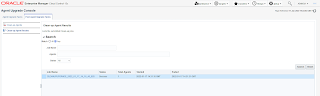
To upgrade the central agent go to Setup -> Manage Enterprise Manager -> Upgrade Agents
This will open the agent upgrade console. Agent Upgrade Tasks tab will be selected. Under Agents for Upgrade click the Add button. This will open upgradeable agents box and select the 13.5 agents that will be upgraded. Once selected the agent details will be populated as shown below. It shows current version, version it will be upgraded to and the agent home.
Under the Choose credentails select "Preferred Privileged Credentials" (selected by default) even if no perferred credentails are available. This is not an issue as this privilege is needed to run the root.sh for agent upgrade. This could be done manually. This is also mentioned when the submit button is clicked. Click OK to continue with the upgrade.
Wait for upgrade job to complete successfully.
Agent upgrade results could also be viewd by clicking the job name available under "Agent Upgrade Results" page.
The agent will have a new home under agent base directory. It will have to be patched with latest RU that is relevant for the OMS+agent combination.
As the last step the old 13.5 agent home could be removed. This is done as a post agent upgrade task. Click on the cleanup agents and add the old 13.5 agent. It was noticed in multiple upgrades that the "installed version" for the old agent is listed as 24.1 even though correct 13.5 agent home is listed as the oracle home. Ignore this possible bug on the EM and continue with the 13.5 agent removal.
As before the agent removal progress could be monitored under job activity. Once complete view the results in cleanup-agent results page.
This concludes the upgrading of Enterprise Manager Cloud Control from 13.5 to 24ai.
Related Posts
Upgrading Enterprise Manager Cloud Control from 13.5 to 24.1 - 1
Upgrading Enterprise Manager Cloud Control from 13.5 to 24.1 - 2
Upgrading Enterprise Manager Cloud Control from 13.4 to 13.5 - 1
Upgrading Enterprise Manager Cloud Control from 13.4 to 13.5 - 2
Upgrading Enterprise Manager Cloud Control from 13.4 to 13.5 - 3
Installing Enterprise Manager Cloud Control 13c (13.4)
Converting EM Repository DB from Non-CDB to PDB
Adding Targets on EM Cloud Control 13c
Installing Enterprise Manager Cloud Control 13c (13.3)
Installing Grid Control 11gR1 and Deploying Agents
Upgrading Grid Control 11g to 12c - 1
Showing posts with label Cloud Control. Show all posts
Sunday, February 15, 2026
Upgrading Enterprise Manager Cloud Control from 13.5 to 24.1 - 2
This is the second post on upgrading EMCC from 13.5 to 24.1. The previous post mentioned pre-req tasks to be carried out before the installation. The approach used in this case consists of two phase. First phase installs the 24.1 binaries and patch them. The existing 13.5 EM could be up and running at this stage. The second phase is the actual configuration of 24.1 EM and upgrade of the schemas in the repository. Prior to the second phase the existing 13.5 EM and agents must be shutdown. This two phase approach reduces the total downtime needed for upgrading.
It is possible to run the upgrade either in GUI mode or silent mode using the softwareOnlyWithPlugins_upgrade.rsp extracted from the installers (refer KB621611). In this case the GUI was chosen. The 24ai installer requires considerable amount of temporary space. Usually taken from /tmp location. If there is not enough space then in the default location give an alertnative location as tmp. To start the binary installation execute the following
Skip the software update download.
The upgrade is done on a RHEL8 (4.18.0-553) but OUI is checking for UEK 5.4. This failure is ignoreable.
Give new locations for 24ai.
Give repository DB connection details
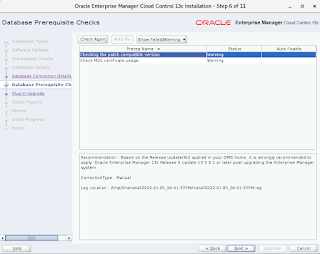
Ensure following DB pre-req succeeds.
Upgrade will take care of some plugin by upgrading or migrating them depending on availability.
Review Space and install location.
Click the upgrade button to begin the upgrade.
When the upgrade completes run the allroot.sh.
Update the OMSpatcher before the patchnig (refer KB371380). Current patch level (before the 24RU patch applied)
Apply the patch
Patches after the RU apply
Before running ConfigureGC.sh add a datafile to mgmt_tablespace tablespace. During the upgrade this went beyond 32GB. Upgrade will hang until space is added. Secondly if sysman login was disabled with
At this stage the DB modification will happen as such its a good idea to have a backup of the DB if one wasn't done before.
New to 24ai is that upgrades could be done with non-Sys user as well. In this case sys user was selected for upgrade.
As mentioned earlier for the PDB which is inheriting memory parameters from CDB the following warnings could be ignored.
The extend weblogic server domain step comes pre-populated with server,port and the weblgoic user names. Enter the password for the user and the base location.
The port configuration will come pre-populated with existing ports used for configuration.
Review and click configure button.
Configuration assitants show the progress of each step
At the end of the configuration the finish page shows the EM URL and port along with admin service information.
The OMS will be up and running.
Login to the upgraded 24ai EMCC.
To remove the old 13.5 middleware home verify no processes are running out of it and detach it from inventory.
Once detached from oracle inventory the old middleware home and instance base location could be removed.
Related Posts
Upgrading Enterprise Manager Cloud Control from 13.5 to 24.1 - 1
Upgrading Enterprise Manager Cloud Control from 13.5 to 24.1 - 3
Upgrading Enterprise Manager Cloud Control from 13.4 to 13.5 - 1
Upgrading Enterprise Manager Cloud Control from 13.4 to 13.5 - 2
Upgrading Enterprise Manager Cloud Control from 13.4 to 13.5 - 3
Installing Enterprise Manager Cloud Control 13c (13.4)
Converting EM Repository DB from Non-CDB to PDB
Adding Targets on EM Cloud Control 13c
Installing Enterprise Manager Cloud Control 13c (13.3)
Installing Grid Control 11gR1 and Deploying Agents
Upgrading Grid Control 11g to 12c - 1
Useful KB docs
(KB315275) EM 24ai: How to Upgrade OEM from 13.5 to 24.1
(KB371380) EM 24ai: How To Upgrade Enterprise Manager 24.1 OMSPatcher Utility to the Latest Version
(KB621611) EM 24ai: How to Upgrade OEM from 13.5 to 24.1 Using Silent Method
It is possible to run the upgrade either in GUI mode or silent mode using the softwareOnlyWithPlugins_upgrade.rsp extracted from the installers (refer KB621611). In this case the GUI was chosen. The 24ai installer requires considerable amount of temporary space. Usually taken from /tmp location. If there is not enough space then in the default location give an alertnative location as tmp. To start the binary installation execute the following
./em13500_linux64.bin -Djava.io.tmpdir=/opt/tmpThis will open the GUI. Select upgrade existing EM and under it select the option upgrade software only and configure later.
Skip the software update download.
The upgrade is done on a RHEL8 (4.18.0-553) but OUI is checking for UEK 5.4. This failure is ignoreable.
Give new locations for 24ai.
Give repository DB connection details
Ensure following DB pre-req succeeds.
Upgrade will take care of some plugin by upgrading or migrating them depending on availability.
Review Space and install location.
Click the upgrade button to begin the upgrade.
When the upgrade completes run the allroot.sh.
# /opt/company/app/software/em/middleware24/oms_home/allroot.sh Starting to execute allroot.sh ......... Starting to execute /opt/company/app/software/em/middleware24/oms_home/root.sh ...... Check /opt/company/app/software/em/middleware24/oms_home/install/root_ip-172-31-8-174.eu-west-1.compute.internal_2026-01-27_13-32-17-025234174.log for the output of root script Finished execution of /opt/company/app/software/em/middleware24/oms_home/root.sh ...... Starting to execute /opt/company/app/software/em/agent24/agent_24.1.0.0.0/root.sh ...... Finished product-specific root actions. /etc exist /opt/company/app/software/em/agent24/agent_24.1.0.0.0 Finished execution of /opt/company/app/software/em/agent24/agent_24.1.0.0.0/root.sh ......Once the allroot.sh is run click the OK button. This will complete the install of binaries and give instructions on the next step which is to configure the setup but do not run the ConfigureGC.sh until the binaries are patched. Click the close button and commence the patching.
Update the OMSpatcher before the patchnig (refer KB371380). Current patch level (before the 24RU patch applied)
opatch lspatches 37103277;FMW Thirdparty Bundle Patch 12.2.1.4.240925 37096063;OSS 19C BUNDLE PATCH 12.2.1.4.241001 37035947;OWSM BUNDLE PATCH 12.2.1.4.240908 37028738;ADF BUNDLE PATCH 12.2.1.4.240905 36964687;WebCenter Core Bundle Patch 12.2.1.4.240819 36851321;RDA release 24.4-20241015 for OFM 12.2.1.4 SPB 36789759;FMW PLATFORM BUNDLE PATCH 12.2.1.4.240812 36316422;OPSS Bundle Patch 12.2.1.4.240220 34065178;One-off 30152128;One-off 26626168;One-off 1221423;Coherence Cumulative Patch 12.2.1.4.23 37033394;OHS (NATIVE) DB19C BUNDLE PATCH 12.2.1.4.240906 36615359;DATABASE RELEASE UPDATE 19.24.0.0.0 FOR FMW DBCLIENT 34809489;One-off 37087476;WLS PATCH SET UPDATE 12.2.1.4.240922 35965629;ADR FOR WEBLOGIC SERVER 12.2.1.4.0 CPU JAN 2024Analyze the patch
$ omspatcher apply -analyze -bitonly -silent
OMSPatcher Automation Tool
Copyright (c) 2024, Oracle Corporation. All rights reserved.
OMSPatcher version : 13.9.24.9.0
OUI version : 13.9.4.0.0
Running from : /opt/company/app/software/em/middleware24/oms_home
Log file location : /opt/company/app/software/em/middleware24/oms_home/cfgtoollogs/omspatcher/opatch2026-01-27_15-17-25PM_1.log
OMSPatcher log file: /opt/company/app/software/em/middleware24/oms_home/cfgtoollogs/omspatcher/38532004/omspatcher_2026-01-27_15-18-00PM_analyze.log
WARNING: OMSPatcher has been invoked with bitonly option but the System patch provided has deployment metadata.
Invocation in bitonly mode will prevent OMSPatcher from deploying artifacts.
Do you want to proceed? [y|n]
Y (auto-answered by -silent)
User Responded with: Y
Prereq "checkComponents" for patch 38527741 passed.
Prereq "checkComponents" for patch 38527764 passed.
Prereq "checkComponents" for patch 38527785 passed.
Prereq "checkComponents" for patch 38527758 passed.
Prereq "checkComponents" for patch 38527802 passed.
Prereq "checkComponents" for patch 38527828 passed.
Running apply prerequisite checks for sub-patch(es) "38527741,38527764,38527785,38527758,38527802" and Oracle Home "/opt/company/app/software/em/middleware24/oms_home"...
Sub-patch(es) "38527741,38527764,38527785,38527758,38527802" are successfully analyzed for Oracle Home "/opt/company/app/software/em/middleware24/oms_home"
Running apply prerequisite checks for sub-patch(es) "38527828" and Oracle Home "/opt/company/app/software/em/middleware24/ext_oms_home"...
Sub-patch(es) "38527828" are successfully analyzed for Oracle Home "/opt/company/app/software/em/middleware24/ext_oms_home"
Complete Summary
================
All log file names referenced below can be accessed from the directory "/opt/company/app/software/em/middleware24/oms_home/cfgtoollogs/omspatcher/2026-01-27_15-17-25PM_SystemPatch_38532004_1"
Prerequisites analysis summary:
-------------------------------
The following sub-patch(es) are applicable:
Featureset Sub-patches Log file
---------- ----------- --------
oracle.sysman.top.oms 38527741,38527764,38527785,38527758,38527802 38527741,38527764,38527785,38527758,38527802_opatch2026-01-27_15-19-04PM_2.log
oracle.sysman.top.zdt 38527828 38527828_opatch2026-01-27_15-21-08PM_2.log
The following sub-patches are not needed by any component installed in the OMS system:
38527775,38527794,38527769,37616371,38527807,37990627
The following sub-patches are already applied to the OMS system:
38154809
--------------------------------------------------------------------------------
The following warnings have occurred during OPatch execution:
1) OMSPatcher has been invoked with bitonly option but the System patch provided has deployment metadata.
Invocation in bitonly mode will prevent OMSPatcher from deploying artifacts.
2) Sub-patch "38154809" skipped as it is already been applied to the "OMS" system.
--------------------------------------------------------------------------------
Log file location: /opt/company/app/software/em/middleware24/oms_home/cfgtoollogs/omspatcher/38532004/omspatcher_2026-01-27_15-18-00PM_analyze.log
OMSPatcher succeeded.Apply the patch
$ omspatcher apply -bitonly -silent
OMSPatcher Automation Tool
Copyright (c) 2024, Oracle Corporation. All rights reserved.
OMSPatcher version : 13.9.24.9.0
OUI version : 13.9.4.0.0
Running from : /opt/company/app/software/em/middleware24/oms_home
Log file location : /opt/company/app/software/em/middleware24/oms_home/cfgtoollogs/omspatcher/opatch2026-01-27_15-22-47PM_1.log
OMSPatcher log file: /opt/company/app/software/em/middleware24/oms_home/cfgtoollogs/omspatcher/38532004/omspatcher_2026-01-27_15-23-20PM_apply.log
WARNING: OMSPatcher has been invoked with bitonly option but the System patch provided has deployment metadata.
Invocation in bitonly mode will prevent OMSPatcher from deploying artifacts.
Do you want to proceed? [y|n]
Y (auto-answered by -silent)
User Responded with: Y
Prereq "checkComponents" for patch 38527741 passed.
Prereq "checkComponents" for patch 38527764 passed.
Prereq "checkComponents" for patch 38527785 passed.
Prereq "checkComponents" for patch 38527758 passed.
Prereq "checkComponents" for patch 38527802 passed.
Prereq "checkComponents" for patch 38527828 passed.
Running apply prerequisite checks for sub-patch(es) "38527741,38527764,38527785,38527758,38527802" and Oracle Home "/opt/company/app/software/em/middleware24/oms_home"...
Sub-patch(es) "38527741,38527764,38527785,38527758,38527802" are successfully analyzed for Oracle Home "/opt/company/app/software/em/middleware24/oms_home"
Running apply prerequisite checks for sub-patch(es) "38527828" and Oracle Home "/opt/company/app/software/em/middleware24/ext_oms_home"...
Sub-patch(es) "38527828" are successfully analyzed for Oracle Home "/opt/company/app/software/em/middleware24/ext_oms_home"
To continue, OMSPatcher will do the following:
[Patch and deploy artifacts] :
Do you want to proceed? [y|n]
Y (auto-answered by -silent)
User Responded with: Y
Applying sub-patch(es) "38527741,38527758,38527764,38527785,38527802"
Properties file /opt/company/app/software/em/middleware24/oms_home/sysman/config/emInstanceMapping.properties not found. Exiting.
Coping /opt/company/app/software/em/middleware24/oms_home/oracle_common/modules/oracle.pki/oraclepki.jar,/opt/company/app/software/em/middleware24/oms_home/oracle_common/modules/oracle.osdt/osdt_core.jar,/opt/company/app/software/em/middleware24/oms_home/oracle_common/modules/oracle.osdt/osdt_cert.jar to /opt/company/app/software/em/middleware24/oms_home/oui/em
Properties file /opt/company/app/software/em/middleware24/oms_home/sysman/config/emInstanceMapping.properties not found. Exiting.
Failed to move file to deployed locationProperties file /opt/company/app/software/em/middleware24/oms_home/sysman/config/emInstanceMapping.properties not found. Exiting.
Properties file /opt/company/app/software/em/middleware24/oms_home/sysman/config/emInstanceMapping.properties or cumulative mapping files /opt/company/app/software/em/middleware24/oms_home/install/deploy_library_mapping.txt_delta or /opt/company/app/software/em/middleware24/oms_home/install/undeploy_library_mapping.txt_delta not found. Exiting.
Please monitor log file: /opt/company/app/software/em/middleware24/oms_home/cfgtoollogs/opatch/opatch2026-01-27_15-26-34PM_3.log
Applying sub-patch(es) "38527828"
Please monitor log file: /opt/company/app/software/em/middleware24/ext_oms_home/cfgtoollogs/opatch/opatch2026-01-27_15-30-06PM_4.log
Complete Summary
================
All log file names referenced below can be accessed from the directory "/opt/company/app/software/em/middleware24/oms_home/cfgtoollogs/omspatcher/2026-01-27_15-22-47PM_SystemPatch_38532004_1"
Patching summary:
-----------------
Binaries of the following sub-patch(es) have been applied successfully:
Featureset Sub-patches Log file
---------- ----------- --------
oracle.sysman.top.zdt_24.1.0.0.0 38527828 38527828_opatch2026-01-27_15-30-06PM_4.log
oracle.sysman.top.oms_24.1.0.0.0 38527741,38527758,38527764,38527785,38527802 38527741,38527758,38527764,38527785,38527802_opatch2026-01-27_15-26-34PM_3.log
The following sub-patches are not needed by any component installed in the OMS system:
38527775,38527794,38527769,37616371,38527807,37990627
The following sub-patches are already applied to the OMS system:
38154809
--------------------------------------------------------------------------------
The following warnings have occurred during OPatch execution:
1) OMSPatcher has been invoked with bitonly option but the System patch provided has deployment metadata.
Invocation in bitonly mode will prevent OMSPatcher from deploying artifacts.
2) Sub-patch "38154809" skipped as it is already been applied to the "OMS" system.
--------------------------------------------------------------------------------
Log file location: /opt/company/app/software/em/middleware24/oms_home/cfgtoollogs/omspatcher/38532004/omspatcher_2026-01-27_15-23-20PM_apply.logPatches after the RU apply
opatch lspatches 38527802;Oracle Enterprise Manager for Systems Infrastructure 24ai Release 1 Plug-in Update 7 (24.1.1.7) for Oracle Management Service 38527785;Oracle Enterprise Manager for Exadata 24ai Release 1 Plug-in Update 7 (24.1.1.7) for Oracle Management Service 38527764;Oracle Enterprise Manager for Oracle Database 24ai Release 1 Plug-in Update 7 (24.1.1.7) for Oracle Management Service 38527758;Oracle Enterprise Manager for Fusion Middleware 24ai Release 1 Plug-in Update 7 (24.1.1.7) for Oracle Management Service 38527741;Oracle Enterprise Manager 24ai Release 1 Platform Update 7 (24.1.0.7) for Oracle Management Service 38154809;Oracle Enterprise Manager for Cloud Framework 24ai Release 1 Plug-in Update 5 (24.1.1.5) for Oracle Management Service 37103277;FMW Thirdparty Bundle Patch 12.2.1.4.240925 37096063;OSS 19C BUNDLE PATCH 12.2.1.4.241001 37035947;OWSM BUNDLE PATCH 12.2.1.4.240908 37028738;ADF BUNDLE PATCH 12.2.1.4.240905 36964687;WebCenter Core Bundle Patch 12.2.1.4.240819 36851321;RDA release 24.4-20241015 for OFM 12.2.1.4 SPB 36789759;FMW PLATFORM BUNDLE PATCH 12.2.1.4.240812 36316422;OPSS Bundle Patch 12.2.1.4.240220 34065178;One-off 30152128;One-off 26626168;One-off 1221423;Coherence Cumulative Patch 12.2.1.4.23 37033394;OHS (NATIVE) DB19C BUNDLE PATCH 12.2.1.4.240906 36615359;DATABASE RELEASE UPDATE 19.24.0.0.0 FOR FMW DBCLIENT 34809489;One-off 37087476;WLS PATCH SET UPDATE 12.2.1.4.240922 35965629;ADR FOR WEBLOGIC SERVER 12.2.1.4.0 CPU JAN 2024
Before running ConfigureGC.sh add a datafile to mgmt_tablespace tablespace. During the upgrade this went beyond 32GB. Upgrade will hang until space is added. Secondly if sysman login was disabled with
UPDATE MGMT_CREATED_USERS SET SYSTEM_USER='-1' WHERE user_name='SYSMAN'then enable it with
UPDATE MGMT_CREATED_USERS SET SYSTEM_USER='1' WHERE user_name='SYSMAN'Refer EMCC security guide for more on this. Stop OMS and agent and run the configureGC.sh.
emctl stop oms -all emctl stop agent $ $ORACLE_HOME/sysman/install/ConfigureGC.shSelect upgrade existing system
At this stage the DB modification will happen as such its a good idea to have a backup of the DB if one wasn't done before.
New to 24ai is that upgrades could be done with non-Sys user as well. In this case sys user was selected for upgrade.
As mentioned earlier for the PDB which is inheriting memory parameters from CDB the following warnings could be ignored.
The extend weblogic server domain step comes pre-populated with server,port and the weblgoic user names. Enter the password for the user and the base location.
The port configuration will come pre-populated with existing ports used for configuration.
Review and click configure button.
Configuration assitants show the progress of each step
At the end of the configuration the finish page shows the EM URL and port along with admin service information.
The OMS will be up and running.
emctl status oms Oracle Enterprise Manager 24ai Release 1 Copyright (c) 1996, 2024 Oracle Corporation. All rights reserved. WebTier is Up Oracle Management Server is Up JVMD Engine is Up [oracle@ip-172-31-8-174 ~]$ emctl status oms -details Oracle Enterprise Manager 24ai Release 1 Copyright (c) 1996, 2024 Oracle Corporation. All rights reserved. Console Server Host : ip-172-31-8-174.eu-west-1.compute.internal HTTP Console Port : 7788 HTTPS Console Port : 7803 HTTP Upload Port : 4889 HTTPS Upload Port : 4903 EM Instance Home : /opt/company/app/software/em/middleware24/gc_inst/em/EMGC_OMS1 OMS Log Directory Location : /opt/company/app/software/em/middleware24/gc_inst/em/EMGC_OMS1/sysman/log OMS is not configured with SLB or virtual hostname Agent Upload is locked. OMS Console is locked. Active CA ID: 1 Console URL: https://ip-172-31-8-174.eu-west-1.compute.internal:7803/em Upload URL: https://ip-172-31-8-174.eu-west-1.compute.internal:4903/empbs/upload WLS Domain Information Domain Name : GCDomain Admin Server Host : ip-172-31-8-174.eu-west-1.compute.internal Admin Server HTTPS Port: 7102 Admin Server is RUNNING Extended Domain Name : EMExtDomain1 Extended Admin Server Host : ip-172-31-8-174.eu-west-1.compute.internal Extended Admin Server HTTPS Port: 7026 Extended Admin Server is RUNNING Oracle Management Server Information Managed Server Instance Name: EMGC_OMS1 Oracle Management Server Instance Host: ip-172-31-8-174.eu-west-1.compute.internal WebTier is Up Oracle Management Server is Up JVMD Engine is UpThe EM key will be secured
emctl status emkey Oracle Enterprise Manager 24ai Release 1 Copyright (c) 1996, 2024 Oracle Corporation. All rights reserved. Enter Enterprise Manager Root (SYSMAN) Password : The EMKey is configured properly.Agent is also upgraded 24ai and will be up and running.
emctl status agent Oracle Enterprise Manager 24ai Release 1 Copyright (c) 1996, 2024 Oracle Corporation. All rights reserved. --------------------------------------------------------------- Agent Version : 24.1.0.0.0 OMS Version : 24.1.0.0.0 Protocol Version : 12.1.0.1.0 Agent Home : /opt/company/app/software/em/agent24/agent_inst Agent Log Directory : /opt/company/app/software/em/agent24/agent_inst/sysman/log Agent Binaries : /opt/company/app/software/em/agent24/agent_24.1.0.0.0 Core JAR Location : /opt/company/app/software/em/agent24/agent_24.1.0.0.0/jlib Agent Process ID : 449292 Parent Process ID : 449240 Agent URL : https://ip-172-31-8-174.eu-west-1.compute.internal:3872/emd/main/ Local Agent URL in NAT : https://ip-172-31-8-174.eu-west-1.compute.internal:3872/emd/main/ Repository URL : https://ip-172-31-8-174.eu-west-1.compute.internal:4903/empbs/upload Started at : 2026-01-27 17:33:37 Started by user : oracle Operating System : Linux version 4.18.0-553.84.1.el8_10.x86_64 (amd64) Number of Targets : 50 Last Reload : (none) Last successful upload : 2026-01-27 17:39:46 Last attempted upload : 2026-01-27 17:39:46 Total Megabytes of XML files uploaded so far : 0.52 Number of XML files pending upload : 0 Size of XML files pending upload(MB) : 0 Available disk space on upload filesystem : 8.58% Collection Status : Collections enabled Heartbeat Status : Ok Last attempted heartbeat to OMS : 2026-01-27 17:43:06 Last successful heartbeat to OMS : 2026-01-27 17:43:06 Next scheduled heartbeat to OMS : 2026-01-27 17:44:06 --------------------------------------------------------------- Agent is Running and ReadyHowever agent will have to be patched with relevant RU for agent. As it won't have those patches. Below output shows the patches on agent.
opatch lspatches 37121017;Non System patch Tracking bug to repackage 19.24 version of UCP patch as 24.1 EM Agent patch 37121014;Non System patch Tracking bug to repackage 19.24 version of JDBC patch as 24.1 EM Agent patch 37096063;OSS 19C BUNDLE PATCH 12.2.1.4.241001 37087476;WLS PATCH SET UPDATE 12.2.1.4.240922 OPatch succeeded.If password verification function was set to null set it back to original value.
Login to the upgraded 24ai EMCC.
To remove the old 13.5 middleware home verify no processes are running out of it and detach it from inventory.
ps ax | grep /middleware/ echo $ORACLE_HOME /opt/xxx/app/software/em/middleware $ORACLE_HOME/oui/bin/detachHome.sh -silent ORACLE_HOME=$ORACLE_HOME Launcher log file is /opt/tmp/OraInstall2026-01-27_05-50-49PM/launcher2026-01-27_05-50-49PM.log. Checking swap space: must be greater than 500 MB. Actual 4095 MB Passed Checking if this platform requires a 64-bit JVM. Actual 64 Passed (-d64 flag is not required) detachHome failed. The log(s) can be found here: /opt/tmp/OraInstall2026-01-27_05-50-49PM.Though message says detachment fails the inventory.xml says the old home has been rmeoved.
more /opt/xxx/app/oraInventory/ContentsXML/inventory.xml
...
<HOME_LIST>
<HOME NAME="oms13c1" LOC="/opt/company/app/software/em/middleware" TYPE="O" IDX="3" REMOVED="T"/>
<HOME_LISTgt;
Oracle documentation also states to detach oracle_common directory$ORACLE_HOME/oui/bin/detachHome.sh -silent ORACLE_HOME=$ORACLE_HOME/oracle_commonBut as there's no such entry in the inventory this fails and could be ignored.
Once detached from oracle inventory the old middleware home and instance base location could be removed.
ls agent gc_inst gc_inst135 middleware middleware135 swlib rm -rf middleware gc_inst ls agent gc_inst135 middleware135 swlibThe next post will show how to upgrade the central agent to 24.1.
Related Posts
Upgrading Enterprise Manager Cloud Control from 13.5 to 24.1 - 1
Upgrading Enterprise Manager Cloud Control from 13.5 to 24.1 - 3
Upgrading Enterprise Manager Cloud Control from 13.4 to 13.5 - 1
Upgrading Enterprise Manager Cloud Control from 13.4 to 13.5 - 2
Upgrading Enterprise Manager Cloud Control from 13.4 to 13.5 - 3
Installing Enterprise Manager Cloud Control 13c (13.4)
Converting EM Repository DB from Non-CDB to PDB
Adding Targets on EM Cloud Control 13c
Installing Enterprise Manager Cloud Control 13c (13.3)
Installing Grid Control 11gR1 and Deploying Agents
Upgrading Grid Control 11g to 12c - 1
Useful KB docs
(KB315275) EM 24ai: How to Upgrade OEM from 13.5 to 24.1
(KB371380) EM 24ai: How To Upgrade Enterprise Manager 24.1 OMSPatcher Utility to the Latest Version
(KB621611) EM 24ai: How to Upgrade OEM from 13.5 to 24.1 Using Silent Method
Labels:
Cloud Control,
em,
enterprise manager
Saturday, February 14, 2026
Upgrading Enterprise Manager Cloud Control from 13.5 to 24.1 - 1
This is the first post on upgrading EM Cloud Control (EMCC) from 13.5 to 24.1. The upgrade steps mentioned here have been tried on a system that has the repository database in a PDB.
This post looks at the prerequisite work needed before the upgrade could begin. It is not an extensive look at all the pre-req steps. For complete list of pre-req steps refer the cloud control upgrade guide. Also useful is the MOS doc KB315275.
One of the first thing to be done as part of pre-req work is to apply the latest patches for both repository database and OMS and related components. The repository database had RU 19.29 applied while OMS was patched with RU 13.5.0.28. Document KB590189 mentiones minimum RU of 24ai must be applied to upgrade from 13.5.0.28. This fact is mentioned when pre-req is run and also during configuration phase.
With this in mind download the latest RU for 24ai. In this case 24.1.0.7 was used. This will be applied to the 24ai binaries during the upgrade. As a pre-req it is enough to download RU and the OPatch version released with it. Documentaion (KB371380) only mentions updating the omspatcher but patching fails with
Other noteworthy snippets from documentation are
Enterprise Manager 13c Release 5 Update 22 (13.5.0.22) is the minimum release update required for upgrading to Enteprise Manager 24ai Release 1.
If you have any earlier releases of Management Agent, then before upgrading the OMS to 24ai Release 1, make sure you upgrade the Management Agents of other earlier releases to 13c Release 5 using the Agent Upgrade Console that is present within the Enterprise Manager Console.
You must ensure that SQL ALG is disabled in firewall. If not, the Enterprise Manager Upgrade process may terminate/hang in same operation for a long time.
If you have events setup for maximum memory usage limit, then you must disable them before upgrade.
For example, alter system set event='10261 trace name context forever, level 3145728','10262 trace name context forever, level 3145728' scope=spfile;
Manually Restarting the OMS and the Management Agent After Upgrading to Enterprise Manager 24ai Release 1
If you install the OMS and the Oracle Database, which houses the Management Repository, on the same host, then when you reboot the host, the OMS and the Management Agent installed with it will not automatically start up. You will have to manually start them.
Most of the pre-req work is similar to 13.5. Only additional once seems to be the undeploying of CSA plugin which is flagged during pre-req check.
This could be undeployed with following emcli commands.
Other checks are securing the em key (same as 13.5)
When the pre-req is at this stage the EM is ready for uprade which will be done using the recommended way which is "Upgrade Software Only with Plug-ins and Configure Later". Steps for this will be shown in the next post.
Related Posts
Upgrading Enterprise Manager Cloud Control from 13.5 to 24.1 - 2
Upgrading Enterprise Manager Cloud Control from 13.5 to 24.1 - 3
Upgrading Enterprise Manager Cloud Control from 13.4 to 13.5 - 1
Upgrading Enterprise Manager Cloud Control from 13.4 to 13.5 - 2
Upgrading Enterprise Manager Cloud Control from 13.4 to 13.5 - 3
Installing Enterprise Manager Cloud Control 13c (13.4)
Converting EM Repository DB from Non-CDB to PDB
Adding Targets on EM Cloud Control 13c
Installing Enterprise Manager Cloud Control 13c (13.3)
Installing Grid Control 11gR1 and Deploying Agents
Upgrading Grid Control 11g to 12c - 1
Useful KB docs
(KB590189) EM 24ai: Checklist For Upgrading Enterprise Manager Cloud Control from Version 13.5 to 24.1
(KB315275) EM 24ai: How to Upgrade OEM from 13.5 to 24.1
(KB540933) EM 24ai :Upgrade from 13.5 RU27 failing "Checking the patch compatible Version"
(KB253309) EM 24ai :Upgrade from 13.5 RU25 failing "Checking the patch compatible Version"
(KB371380) EM 24ai: How To Upgrade Enterprise Manager 24.1 OMSPatcher Utility to the Latest Version
(KB621611) EM 24ai: How to Upgrade OEM from 13.5 to 24.1 Using Silent Method
(KB274749) EM 24ai:Upgrade Is Failing At OMSCA Step "Error reading trustStore Wallet"
With this in mind download the latest RU for 24ai. In this case 24.1.0.7 was used. This will be applied to the 24ai binaries during the upgrade. As a pre-req it is enough to download RU and the OPatch version released with it. Documentaion (KB371380) only mentions updating the omspatcher but patching fails with
Prerequisite check "CheckMinimumOPatchVersion" failed.This is mentioned in KB540933 and KB253309. If this error occurs then update the OPatch.
Other noteworthy snippets from documentation are
Enterprise Manager 13c Release 5 Update 22 (13.5.0.22) is the minimum release update required for upgrading to Enteprise Manager 24ai Release 1.
If you have any earlier releases of Management Agent, then before upgrading the OMS to 24ai Release 1, make sure you upgrade the Management Agents of other earlier releases to 13c Release 5 using the Agent Upgrade Console that is present within the Enterprise Manager Console.
You must ensure that SQL ALG is disabled in firewall. If not, the Enterprise Manager Upgrade process may terminate/hang in same operation for a long time.
If you have events setup for maximum memory usage limit, then you must disable them before upgrade.
For example, alter system set event='10261 trace name context forever, level 3145728','10262 trace name context forever, level 3145728' scope=spfile;
Manually Restarting the OMS and the Management Agent After Upgrading to Enterprise Manager 24ai Release 1
If you install the OMS and the Oracle Database, which houses the Management Repository, on the same host, then when you reboot the host, the OMS and the Management Agent installed with it will not automatically start up. You will have to manually start them.
Most of the pre-req work is similar to 13.5. Only additional once seems to be the undeploying of CSA plugin which is flagged during pre-req check.
This could be undeployed with following emcli commands.
emcli login -username=sysman emcli sync emcli undeploy_plugin_from_agent -plugin="oracle.sysman.csa:13.5.0.0.0" -agent_names="ip-172-31-8-174.eu-west-1.compute.internal:3872" emcli get_plugin_deployment_status -plugin=oracle.sysman.csa Plug-in Deployment/Undeployment Status Destination : Management Agent - ip-172-31-8-174.eu-west-1.compute.internal:3872 Plug-in Name : Oracle CSA Version : 13.5.0.0.0 ID : oracle.sysman.csa Content : Plug-in Action : Undeployment Status : Success Steps Info: ---------------------------------------- ------------------------- ------------------------- ---------- Step Start Time End Time Status ---------------------------------------- ------------------------- ------------------------- ---------- Submit job for undeployment 1/26/26 12:39:24 PM UTC 1/26/26 12:39:24 PM UTC Success Initialize 1/26/26 12:39:29 PM UTC 1/26/26 12:39:29 PM UTC Success Delete target 1/26/26 12:39:29 PM UTC 1/26/26 12:39:29 PM UTC Success Deconfigure plug-in from Management Agent 1/26/26 12:39:29 PM UTC 1/26/26 12:39:44 PM UTC Success Update inventory 1/26/26 12:39:29 PM UTC 1/26/26 12:39:44 PM UTC Success ---------------------------------------- ------------------------- ------------------------- ---------- Destination : Management Agent - ip-172-31-8-174.eu-west-1.compute.internal:3872 Plug-in Name : Oracle CSA Version : 13.5.0.0.0 ID : oracle.sysman.csa Content : Discovery Action : Undeployment Status : Success Steps Info: ---------------------------------------- ------------------------- ------------------------- ---------- Step Start Time End Time Status ---------------------------------------- ------------------------- ------------------------- ---------- Initialize 1/26/26 12:39:29 PM UTC 1/26/26 12:39:29 PM UTC Success Delete target 1/26/26 12:39:29 PM UTC 1/26/26 12:39:29 PM UTC Success Deconfigure plug-in from Management Agent 1/26/26 12:39:44 PM UTC 1/26/26 12:40:52 PM UTC Success Update inventory 1/26/26 12:39:44 PM UTC 1/26/26 12:40:52 PM UTC Success ---------------------------------------- ------------------------- ------------------------- ----------
Other checks are securing the em key (same as 13.5)
emctl status emkey emctl config emkey -copy_to_repos emctl status emkeyGrane execute on dbms_random to public if revoked as a security measure.
grant execute on DBMS_RANDOM to DBSNMP container=all;Remove the password verification function.
alter profile default limit password_verify_function null;To check the upgrade readiness extract the response files from the installer.
./em24100_linux64.bin -getResponseFileTemplates -outputLoc /opt/installs/em/24.1/rsp -Djava.io.tmpdir=/opt/tmpEdit the emprereqkit_upgrade.rsp file. Below is an example of minimum fields required to be populated.
#------------------------------------------------------------------# # Name : UNIX_GROUP_NAME # Type : string # Description : UNIX group name. # Example : UNIX_GROUP_NAME=dba #------------------------------------------------------------------# UNIX_GROUP_NAME=oinstall #------------------------------------------------------------------# # Name : OLD_BASE_DIR # Type : string # Description : Old middleware Home that you want to upgrade.This is applicable when ONE_SYSTEM=true. #------------------------------------------------------------------# OLD_BASE_DIR=/opt/company/app/software/em/middleware #------------------------------------------------------------------# # Name : ONE_SYSTEM # Type : boolean # Description : can be true or false. Setting this variable to true indicates # ONE_SYSTEM.Setting to false indicates "TWO_SYSTEM". #------------------------------------------------------------------# ONE_SYSTEM=true #------------------------------------------------------------------# # Name : SYS_PASSWORD # Type : string # Description : Password of DBA user used to create repository schema. # Example : SYS_PASSWORD=password #------------------------------------------------------------------# SYS_PASSWORD=pwd_here #------------------------------------------------------------------# # Name : SYSMAN_PASSWORD # Type : string # Description : Password for sysman user. #------------------------------------------------------------------# SYSMAN_PASSWORD=pwd_here #------------------------------------------------------------------# # Name : b_upgrade # Type : boolean # Description : To Specify whether it is Normal Install or Upgrade. #------------------------------------------------------------------# b_upgrade=true #------------------------------------------------------------------# # Name : EM_INSTALL_TYPE # Type : string # Description : Type of Grid Control install being performed. #------------------------------------------------------------------# EM_INSTALL_TYPE=NOSEED #------------------------------------------------------------------# # Name : INSTALL_WITH_NON_SYS_USER # Type : boolean # Description : Set true if Install/Upgrade need to be done by non sys user.If this is set as true make sure to proivde dbUser and dbPassword values. #------------------------------------------------------------------# INSTALL_WITH_NON_SYS_USER=falseRun the pre-req check.
./em24100_linux64.bin EMPREREQ_KIT=true -silent -responseFile /opt/installs/em/24.1/rsp/emprereqkit_upgrade.rspBeside any auto-fixable items such as job_queue_processes there shouldn't be any failed items. Since repository is in a PDB the pre-req check memory parameters at PDB level. If these are not set and allowed to be inherited from CDB level then memory parameters could be flagged during pre-req check. These warnings could be ignored.
When the pre-req is at this stage the EM is ready for uprade which will be done using the recommended way which is "Upgrade Software Only with Plug-ins and Configure Later". Steps for this will be shown in the next post.
Related Posts
Upgrading Enterprise Manager Cloud Control from 13.5 to 24.1 - 2
Upgrading Enterprise Manager Cloud Control from 13.5 to 24.1 - 3
Upgrading Enterprise Manager Cloud Control from 13.4 to 13.5 - 1
Upgrading Enterprise Manager Cloud Control from 13.4 to 13.5 - 2
Upgrading Enterprise Manager Cloud Control from 13.4 to 13.5 - 3
Installing Enterprise Manager Cloud Control 13c (13.4)
Converting EM Repository DB from Non-CDB to PDB
Adding Targets on EM Cloud Control 13c
Installing Enterprise Manager Cloud Control 13c (13.3)
Installing Grid Control 11gR1 and Deploying Agents
Upgrading Grid Control 11g to 12c - 1
Useful KB docs
(KB590189) EM 24ai: Checklist For Upgrading Enterprise Manager Cloud Control from Version 13.5 to 24.1
(KB315275) EM 24ai: How to Upgrade OEM from 13.5 to 24.1
(KB540933) EM 24ai :Upgrade from 13.5 RU27 failing "Checking the patch compatible Version"
(KB253309) EM 24ai :Upgrade from 13.5 RU25 failing "Checking the patch compatible Version"
(KB371380) EM 24ai: How To Upgrade Enterprise Manager 24.1 OMSPatcher Utility to the Latest Version
(KB621611) EM 24ai: How to Upgrade OEM from 13.5 to 24.1 Using Silent Method
(KB274749) EM 24ai:Upgrade Is Failing At OMSCA Step "Error reading trustStore Wallet"
Labels:
Cloud Control,
em,
enterprise manager
Sunday, February 6, 2022
Upgrading Enterprise Manager Cloud Control from 13.4 to 13.5 - 3
This is the third post on upgrading EMCC from 13.4 to 13.5. Previous posts showed how to complete the pre-req work and upgrade the EM. This post shows how to upgrade the central agent to 13.5.
Central agent could be upgraded either using the EM console or emcli. This post shows the steps for upgrading using EM Console.
To upgrade the central agent go to Setup -> Manage Cloud Control -> Upgrade Agents
This will open the agent upgrade console. Agent Upgrade Tasks tab will be selected. Under Agents for Upgrade click the Add button. This will open upgradeable agents box and select the current 13.4 central agent. Once selected the agent details will be populated as shown below. It shows current version, version it will be upgraded to and the agent home.
Under the Choose credentails select "Preferred Privileged Credentials" (selected by default) even if no perferred credentails are available. This is not an issue as explained in the upgrade document "You can upgrade a Management Agent using the Agent Upgrade Console or EM CLI even when you do not have preferred privileged credentials or non-privileged credentials set, or are not aware of the Management Agent credentials. Privileged credentials are only required to run the root.sh script post-upgrade. If you upgrade a Management Agent as a user who does not have root privileges, or you upgrade a Management Agent without having preferred privileged credentials, a warning appears. You can ignore this warning during the upgrade. Later, you can log in to the Management Agent host as the root user, and run the $<AGENT_BASE_DIR>/agent_13.5.0.0.0/root.sh script".
This is also mentioned when the submit button is clicked. Click OK to continue with the upgrade.
The upgrade job could be monitored under job activity.
Wait for upgrade job to complete successfully.
Agent upgrade results could also be viewd by clicking the job name available under "Agent Upgrade Results" page.
The agent will have a new home under agent base directory.
However, it is still running base release and need to be patched. The patches installed in the agent at this stage are
Patches applied on agent
As before the agent removal progress could be monitored under job activity. Once complete view the results in cleanup-agent results page.
The old 13.4 agent directory would have been removed from the agent base location.
Related Posts
Upgrading Enterprise Manager Cloud Control from 13.5 to 24.1 - 1
Upgrading Enterprise Manager Cloud Control from 13.5 to 24.1 - 2
Upgrading Enterprise Manager Cloud Control from 13.5 to 24.1 - 3
Upgrading Enterprise Manager Cloud Control from 13.4 to 13.5 - 1
Upgrading Enterprise Manager Cloud Control from 13.4 to 13.5 - 2
Installing Enterprise Manager Cloud Control 13c (13.4)
Converting EM Repository DB from Non-CDB to PDB
Adding Targets on EM Cloud Control 13c
Installing Enterprise Manager Cloud Control 13c (13.3)
Installing Grid Control 11gR1 and Deploying Agents
Upgrading Grid Control 11g to 12c - 1
Useful MOS Docs
13.5: How to Upgrade AgentPatcher to the Version 13.9.5.1.0 [ID 2810322.1]
Central agent could be upgraded either using the EM console or emcli. This post shows the steps for upgrading using EM Console.
To upgrade the central agent go to Setup -> Manage Cloud Control -> Upgrade Agents
This will open the agent upgrade console. Agent Upgrade Tasks tab will be selected. Under Agents for Upgrade click the Add button. This will open upgradeable agents box and select the current 13.4 central agent. Once selected the agent details will be populated as shown below. It shows current version, version it will be upgraded to and the agent home.
Under the Choose credentails select "Preferred Privileged Credentials" (selected by default) even if no perferred credentails are available. This is not an issue as explained in the upgrade document "You can upgrade a Management Agent using the Agent Upgrade Console or EM CLI even when you do not have preferred privileged credentials or non-privileged credentials set, or are not aware of the Management Agent credentials. Privileged credentials are only required to run the root.sh script post-upgrade. If you upgrade a Management Agent as a user who does not have root privileges, or you upgrade a Management Agent without having preferred privileged credentials, a warning appears. You can ignore this warning during the upgrade. Later, you can log in to the Management Agent host as the root user, and run the $<AGENT_BASE_DIR>/agent_13.5.0.0.0/root.sh script".
This is also mentioned when the submit button is clicked. Click OK to continue with the upgrade.
The upgrade job could be monitored under job activity.
Wait for upgrade job to complete successfully.
Agent upgrade results could also be viewd by clicking the job name available under "Agent Upgrade Results" page.
The agent will have a new home under agent base directory.
pwd /opt/xxx/app/software/em/agent ls agent_13.4.0.0.0 agent_13.5.0.0.0 agentimage.properties agent_inst agentInstall.rsp backup_agtupRun the root script.
# ./root.sh Finished product-specific root actions. /etc existAgent version is now upgraded to 13.5
emctl status agent Oracle Enterprise Manager Cloud Control 13c Release 5 Copyright (c) 1996, 2021 Oracle Corporation. All rights reserved. --------------------------------------------------------------- Agent Version : 13.5.0.0.0 OMS Version : 13.5.0.0.0 Protocol Version : 12.1.0.1.0
However, it is still running base release and need to be patched. The patches installed in the agent at this stage are
opatch lspatches 32574981; 32313251; 32302527; OPatch succeeded.To patch agents in 13.5 instead of opatch the agentpatcher must be used (see 2810322.1). Download agentpatcher and install it in the new 13.5 agent home. Check the agent patcher version is the correct version for the agent RU.
agentpatcher version AgentPatcher Version: 13.9.5.1.0 OPlan Version: 12.2.0.1.16 OsysModel build: Tue Apr 28 18:16:31 PDT 2020Install the 13.5 agent RU3 patch (33588930) using agent patcher.
agentpatcher apply -analyze
which emctl
/opt/xxx/app/software/em/agent/agent_13.5.0.0.0/bin/emctl
emctl stop agent
Oracle Enterprise Manager Cloud Control 13c Release 5
Copyright (c) 1996, 2021 Oracle Corporation. All rights reserved.
Stopping agent ... stopped.
agentpatcher apply
AgentPatcher Automation Tool
Copyright (c) 2021, Oracle Corporation. All rights reserved.
AgentPatcher version : 13.9.5.1.0
OUI version : 13.9.4.0.0
Running from : /opt/xxx/app/software/em/agent/agent_13.5.0.0.0
Log file location : /opt/xxx/app/software/em/agent/agent_13.5.0.0.0/cfgtoollogs/agentpatcher/opatch2022-01-17_15-25-25PM_1.log
AgentPatcher log file: /opt/xxx/app/software/em/agent/agent_13.5.0.0.0/cfgtoollogs/agentpatcher/33588930/agentpatcher_2022-01-17_15-25-26PM_deploy.log
Prereq "checkComponents" for patch 33586871 passed.
WARNING: Could not apply the patch "33587645" because the "oracle.sysman.am.agent.plugin with version 13.5.1.0.0" core component of the "Agent" or the plug-in for which the patch is intended is either not deployed or deployed with another version in your Enterprise Manager system.
WARNING: Could not apply the patch "32968787" because the "oracle.sysman.bda.discovery.plugin with version 13.5.1.0.0" core component of the "Agent" or the plug-in for which the patch is intended is either not deployed or deployed with another version in your Enterprise Manager system.
WARNING: Could not apply the patch "32921727" because the "oracle.sysman.empa.discovery.plugin with version 13.5.1.0.0" core component of the "Agent" or the plug-in for which the patch is intended is either not deployed or deployed with another version in your Enterprise Manager system.
Prereq "checkComponents" for patch 33587537 passed.
WARNING: Could not apply the patch "33587676" because the "oracle.sysman.bda.agent.plugin with version 13.5.1.0.0" core component of the "Agent" or the plug-in for which the patch is intended is either not deployed or deployed with another version in your Enterprise Manager system.
Prereq "checkComponents" for patch 33586858 passed.
Prereq "checkComponents" for patch 33602498 passed.
Prereq "checkComponents" for patch 33455336 passed.
Prereq "checkComponents" for patch 33586844 passed.
WARNING: Could not apply the patch "33455281" because the "oracle.sysman.empa.agent.plugin with version 13.5.1.0.0" core component of the "Agent" or the plug-in for which the patch is intended is either not deployed or deployed with another version in your Enterprise Manager system.
WARNING: Could not apply the patch "33587629" because the "oracle.sysman.vt.agent.plugin with version 13.5.1.0.0" core component of the "Agent" or the plug-in for which the patch is intended is either not deployed or deployed with another version in your Enterprise Manager system.
Prereq "checkComponents" for patch 33586784 passed.
Prereq "checkComponents" for patch 33587056 passed.
Prereq "checkComponents" for patch 33586861 passed.
WARNING: Could not apply the patch "33587519" because the "oracle.sysman.xa.agent.plugin with version 13.5.1.0.0" core component of the "Agent" or the plug-in for which the patch is intended is either not deployed or deployed with another version in your Enterprise Manager system.
WARNING: Could not apply the patch "33587733" because the "oracle.sysman.vi.agent.plugin with version 13.5.1.0.0" core component of the "Agent" or the plug-in for which the patch is intended is either not deployed or deployed with another version in your Enterprise Manager system.
WARNING: Could not apply the patch "33586851" because the "oracle.sysman.emfa.discovery.plugin with version 13.5.1.0.0" core component of the "Agent" or the plug-in for which the patch is intended is either not deployed or deployed with another version in your Enterprise Manager system.
WARNING: Could not apply the patch "33586864" because the "oracle.sysman.emfa.agent.plugin with version 13.5.1.0.0" core component of the "Agent" or the plug-in for which the patch is intended is either not deployed or deployed with another version in your Enterprise Manager system.
Running apply prerequisite checks for sub-patch(es) "33586844,33586861,33455336,33586784,33587056,33587537,33602498,33586871,33586858" and Oracle Home "/opt/xxx/app/software/em/agent/agent_13.5.0.0.0"...
Sub-patch(es) "33586844,33586861,33455336,33586784,33587056,33587537,33602498,33586871,33586858" are successfully analyzed for Oracle Home "/opt/xxx/app/software/em/agent/agent_13.5.0.0.0"
To continue, AgentPatcher will do the following:
[Patch and deploy artifacts] :
Do you want to proceed? [y|n]
y
User Responded with: Y
Applying sub-patch(es) "33455336,33586784,33586844,33586858,33586861,33586871,33587056,33587537,33602498"
Please monitor log file: /opt/xxx/app/software/em/agent/agent_13.5.0.0.0/cfgtoollogs/opatch/opatch2022-01-17_15-25-27PM_1.log
Complete Summary
================
All log file names referenced below can be accessed from the directory "/opt/xxx/app/software/em/agent/agent_13.5.0.0.0/cfgtoollogs/agentpatcher/2022-01-17_15-25-25PM_SystemPatch_33588930_1"
Patching summary:
-----------------
Binaries of the following sub-patch(es) have been applied successfully:
Featureset Sub-patches Log file
---------- ----------- --------
oracle.sysman.top.agent_13.5.0.0.0 33455336,33586784,33586844,33586858,33586861,33586871,33587056,33587537,33602498 33455336,33586784,33586844,33586858,33586861,33586871,33587056,33587537,33602498_opatch2022-01-17_15-25-27PM_1.log
The following sub-patches are incompatible with components installed in the Agent system:
33587645,32968787,32921727,33587676,33455281,33587629,33587519,33587733,33586851,33586864
--------------------------------------------------------------------------------
The following warnings have occurred during OPatch execution:
1) Could not apply the patch "33587645" because the "oracle.sysman.am.agent.plugin with version 13.5.1.0.0" core component of the "Agent" or the plug-in for which the patch is intended is either not deployed or deployed with another version in your Enterprise Manager system.
2) Could not apply the patch "32968787" because the "oracle.sysman.bda.discovery.plugin with version 13.5.1.0.0" core component of the "Agent" or the plug-in for which the patch is intended is either not deployed or deployed with another version in your Enterprise Manager system.
3) Could not apply the patch "32921727" because the "oracle.sysman.empa.discovery.plugin with version 13.5.1.0.0" core component of the "Agent" or the plug-in for which the patch is intended is either not deployed or deployed with another version in your Enterprise Manager system.
4) Could not apply the patch "33587676" because the "oracle.sysman.bda.agent.plugin with version 13.5.1.0.0" core component of the "Agent" or the plug-in for which the patch is intended is either not deployed or deployed with another version in your Enterprise Manager system.
5) Could not apply the patch "33455281" because the "oracle.sysman.empa.agent.plugin with version 13.5.1.0.0" core component of the "Agent" or the plug-in for which the patch is intended is either not deployed or deployed with another version in your Enterprise Manager system.
6) Could not apply the patch "33587629" because the "oracle.sysman.vt.agent.plugin with version 13.5.1.0.0" core component of the "Agent" or the plug-in for which the patch is intended is either not deployed or deployed with another version in your Enterprise Manager system.
7) Could not apply the patch "33587519" because the "oracle.sysman.xa.agent.plugin with version 13.5.1.0.0" core component of the "Agent" or the plug-in for which the patch is intended is either not deployed or deployed with another version in your Enterprise Manager system.
8) Could not apply the patch "33587733" because the "oracle.sysman.vi.agent.plugin with version 13.5.1.0.0" core component of the "Agent" or the plug-in for which the patch is intended is either not deployed or deployed with another version in your Enterprise Manager system.
9) Could not apply the patch "33586851" because the "oracle.sysman.emfa.discovery.plugin with version 13.5.1.0.0" core component of the "Agent" or the plug-in for which the patch is intended is either not deployed or deployed with another version in your Enterprise Manager system.
10) Could not apply the patch "33586864" because the "oracle.sysman.emfa.agent.plugin with version 13.5.1.0.0" core component of the "Agent" or the plug-in for which the patch is intended is either not deployed or deployed with another version in your Enterprise Manager system.
--------------------------------------------------------------------------------
AgentPatcher Session completed with warnings.
Log file location: /opt/xxx/app/software/em/agent/agent_13.5.0.0.0/cfgtoollogs/agentpatcher/33588930/agentpatcher_2022-01-17_15-25-26PM_deploy.log
AgentPatcher completed with warnings.
emctl start agentPatches applied on agent
opatch lspatches 33602498;Oracle Enterprise Manager for Exadata 13c Release 5 Plug-in Update 3 (13.5.1.3) for Oracle Management Agent (Discovery) 33587537;Oracle Enterprise Manager for Oracle Home 13c Release 5 Plug-in Update 3 (13.5.0.3) for Oracle Management Agent 33587056;Oracle Enterprise Manager for EMREP 13c Release 5 Plug-in Update 3 (13.5.0.3) for Oracle Management Agent 33586871;Oracle Enterprise Manager 13c Release 5 Platform Update 3 (13.5.0.3) for Oracle Management Agent 33586861;Oracle Enterprise Manager for Fusion Middleware 13c Release 5 Plug-in Update 3 (13.5.1.3) for Oracle Management Agent 33586858;Oracle Enterprise Manager for Oracle Database 13c Release 5 Plug-in Update 3 (13.5.1.3) for Oracle Management Agent 33586844;Oracle Enterprise Manager for Fusion Middleware 13c Release 5 Plug-in Update 3 (13.5.1.3) for Oracle Management Agent (Discovery) 33586784;Oracle Enterprise Manager for Oracle Database 13c Release 5 Plug-in Update 3 (13.5.1.3) for Oracle Management Agent (Discovery) 33455336;Oracle Enterprise Manager for Systems Infrastructure 13c Release 5 Plug-in Update 2 (13.5.1.2) for Oracle Management Agent 32574981; 32313251; 32302527;As the last step the old 13.4 agent could be removed. This is done as a post agent upgrade task. Click on the cleanup agents and add the old 13.4 agent. It was noticed in multiple upgrades that the "installed version" for the old agent is listed as 13.5 even though correct 13.4 agent home is listed as the oracle home. Ignore this possible bug on the EM and continue with the 13.4 agent removal.
As before the agent removal progress could be monitored under job activity. Once complete view the results in cleanup-agent results page.
The old 13.4 agent directory would have been removed from the agent base location.
pwd /opt/xxx/app/software/em/agent ls agent_13.5.0.0.0 agentimage.properties agent_inst agentInstall.rspThis concludes the upgrading of Enterprise Manager Cloud Control from 13.4 to 13.5.
Related Posts
Upgrading Enterprise Manager Cloud Control from 13.5 to 24.1 - 1
Upgrading Enterprise Manager Cloud Control from 13.5 to 24.1 - 2
Upgrading Enterprise Manager Cloud Control from 13.5 to 24.1 - 3
Upgrading Enterprise Manager Cloud Control from 13.4 to 13.5 - 1
Upgrading Enterprise Manager Cloud Control from 13.4 to 13.5 - 2
Installing Enterprise Manager Cloud Control 13c (13.4)
Converting EM Repository DB from Non-CDB to PDB
Adding Targets on EM Cloud Control 13c
Installing Enterprise Manager Cloud Control 13c (13.3)
Installing Grid Control 11gR1 and Deploying Agents
Upgrading Grid Control 11g to 12c - 1
Useful MOS Docs
13.5: How to Upgrade AgentPatcher to the Version 13.9.5.1.0 [ID 2810322.1]
Labels:
Cloud Control,
em,
enterprise manager
Tuesday, February 1, 2022
Upgrading Enterprise Manager Cloud Control from 13.4 to 13.5 - 2
This is the second post on upgrading EMCC from 13.4 to 13.5 The previous post mentioned pre-req tasks to be carried out before the installation. The approach used in this case consists of two phase. First phase installs the 13.5 binaries and patch them. The existing 13.4 EM could be up and running at this stage. The second phase is the actual configuration of 13.5 EM and upgrade of the schemas in the repository. Prior to the second phase the existing 13.4 EM and agents must be shutdown. Also any pre-req work that was postponed (i.e. database init parameter changes) must be completed. This two phase approach reduces the total downtime needed for upgrading.
It is possible to run the upgrade either in GUI mode or silent mode using the softwareOnlyWithPlugins_upgrade.rsp extracted from the installers. In this case the GUI was chosen. To start the binary installation execute the following
Skip the software update download. Previous post showed how (if it works) patches could be downloaded beforehand.
Ensure no pre-req failures.
Give new location for the middleware.
Give repository DB connection details
Ensure following DB pre-req succeeds.
Two DB pre-req will have warnings. One of them is the use of MD5 which was covered in the previous post and is safe to ignore.
The other warning is related to applying of applyg RU 1 (which is minimum version needed when upgrading from 13.4 RU12). Since this will be done after binary install, this warning too could be ignored.
When the next button is clicked following information will be shown.
Upgrade will take care of some plugin by upgrading or migrating them depending on availability.
Select any additional plugin to deploy.
Review Space and install location.
Click the upgrade button to begin the upgrade.
When the upgrade completes run the allroot.sh.
Download the latest omsopatcher (patch 19999993) from Oracle (refer 2809842.1) and install in the new 13.5 middleware home.
Patches before the RU apply
Patches after apply
At this stage the DB modification will happen as such its a good idea to have a backup of the DB.
Ensure all DB pre-req are successful.
The extend weblogic server domain step comes pre-populated with server,port and the weblgoic user names. Enter the password for the user and the base location.
The port configuration will come pre-populated with existing ports used for configuration.
Review and click configure button.
Configuration assitants show the progress of each step
At the end of the configuration the finish page shows the EM URL and port along with admin service information.
With this the EM is upgraded to 13.5. The status command shows the following
To remove the old 13.4 middleware home verify no processes are running out of it and detach it from inventory.
Once detached from oracle inventory the old middleware home and instance base location could be removed.
Related Posts
Upgrading Enterprise Manager Cloud Control from 13.5 to 24.1 - 1
Upgrading Enterprise Manager Cloud Control from 13.5 to 24.1 - 2
Upgrading Enterprise Manager Cloud Control from 13.5 to 24.1 - 3
Upgrading Enterprise Manager Cloud Control from 13.4 to 13.5 - 1
Upgrading Enterprise Manager Cloud Control from 13.4 to 13.5 - 3
Installing Enterprise Manager Cloud Control 13c (13.4)
Converting EM Repository DB from Non-CDB to PDB
Adding Targets on EM Cloud Control 13c
Installing Enterprise Manager Cloud Control 13c (13.3)
Installing Grid Control 11gR1 and Deploying Agents
Upgrading Grid Control 11g to 12c - 1
Useful MOS Docs
13.5: How To Upgrade Enterprise Manager 13.5 Cloud Control OMSPatcher Utility to Version 13.9.5.1.0 [ID 2809842.1]
13.5: How to Apply Release Update on the OMS During the Install/Upgrade [ID 2810169.1]
EM 13c: GCDomain Coherence Targets Are Showing Down in the OEM Console [ID 2657900.1]
How to Refresh or Remove the Obsolete Cache Members in the EM Console for the Coherence Cluster? [ID 2765636.1]
It is possible to run the upgrade either in GUI mode or silent mode using the softwareOnlyWithPlugins_upgrade.rsp extracted from the installers. In this case the GUI was chosen. To start the binary installation execute the following
./em13500_linux64.binThis will open the GUI. Select upgrade existing EM and under it select the option upgrade software only and configure later.
Skip the software update download. Previous post showed how (if it works) patches could be downloaded beforehand.
Ensure no pre-req failures.
Give new location for the middleware.
Give repository DB connection details
Ensure following DB pre-req succeeds.
Two DB pre-req will have warnings. One of them is the use of MD5 which was covered in the previous post and is safe to ignore.
The other warning is related to applying of applyg RU 1 (which is minimum version needed when upgrading from 13.4 RU12). Since this will be done after binary install, this warning too could be ignored.
When the next button is clicked following information will be shown.
Upgrade will take care of some plugin by upgrading or migrating them depending on availability.
Select any additional plugin to deploy.
Review Space and install location.
Click the upgrade button to begin the upgrade.
When the upgrade completes run the allroot.sh.
# /opt/xxx/app/software/em/middleware135/allroot.sh Starting to execute allroot.sh ......... Starting to execute /opt/xxx/app/software/em/middleware135/root.sh ...... Check /opt/xxx/app/software/em/middleware135/install/root_vm-em-console_2022-01-11_15-17-28.log for the output of root script Finished execution of /opt/xxx/app/software/em/middleware135/root.sh ......Once the allroot.sh is run click the OK button. This will complete the install of binaries and give instructions on the next step which is to configure the setup but do not run the ConfigureGC.sh until the binaries are patched. It is alright to click the close button before the patch apply.
Download the latest omsopatcher (patch 19999993) from Oracle (refer 2809842.1) and install in the new 13.5 middleware home.
export ORACLE_HOME=/opt/xxx/app/software/em/middleware135 export PATH=$ORACLE_HOME/bin:$PATH export PATH=$ORACLE_HOME/OMSPatcher:$PATH export PATH=$ORACLE_HOME/OPatch:$PATH which omspatcher /opt/xxx/app/software/em/middleware135/OMSPatcher/omspatcher omspatcher version OMSPatcher Version: 13.9.4.4.0 OPlan Version: 12.2.0.1.16 OsysModel build: Tue Apr 28 18:16:31 PDT 2020 OMSPatcher succeeded. unzip p19999993_135000_Generic_oms_patcher.zip -d $ORACLE_HOME/ omspatcher version OMSPatcher Version: 13.9.5.1.0 OPlan Version: 12.2.0.1.16 OsysModel build: Tue Apr 28 18:16:31 PDT 2020 OMSPatcher succeeded.Apply the 13.5 RU3 patch to the new 13.5 middleware home (refer 2810169.1). Patch analysis output is shown below
unzip p33588912_135000_Generic_oms_base_13.5.0.3.zip
cd 33588912
omspatcher apply -analyze -bitonly
OMSPatcher Automation Tool
Copyright (c) 2017, Oracle Corporation. All rights reserved.
OMSPatcher version : 13.9.5.1.0
OUI version : 13.9.4.0.0
Running from : /opt/xxx/app/software/em/middleware135
Log file location : /opt/xxx/app/software/em/middleware135/cfgtoollogs/omspatcher/opatch2022-01-11_15-25-06PM_1.log
OMSPatcher log file: /opt/xxx/app/software/em/middleware135/cfgtoollogs/omspatcher/33588912/omspatcher_2022-01-11_15-25-07PM_analyze.log
WARNING: OMSPatcher has been invoked with bitonly option but the System patch provided has deployment metadata.
Invocation in bitonly mode will prevent OMSPatcher from deploying artifacts.
Do you want to proceed? [y|n]
y
User Responded with: Y
Prereq "checkComponents" for patch 33424163 passed.
Prereq "checkComponents" for patch 32941631 passed.
WARNING: Could not apply the patch "33424187" because the "oracle.sysman.smf.oms.plugin with version 13.5.1.0.0" core component of the "OMS" or the plug-in for which the patch is intended is either not deployed or deployed with another version in your Enterprise Manager system.
WARNING: Could not apply the patch "33424202" because the "oracle.sysman.vt.oms.plugin with version 13.5.1.0.0" core component of the "OMS" or the plug-in for which the patch is intended is either not deployed or deployed with another version in your Enterprise Manager system.
WARNING: Could not apply the patch "32972412" because the "oracle.sysman.empa.oms.plugin with version 13.5.1.0.0" core component of the "OMS" or the plug-in for which the patch is intended is either not deployed or deployed with another version in your Enterprise Manager system.
Prereq "checkComponents" for patch 33424205 passed.
WARNING: Could not apply the patch "33424177" because the "oracle.sysman.am.oms.plugin with version 13.5.1.0.0" core component of the "OMS" or the plug-in for which the patch is intended is either not deployed or deployed with another version in your Enterprise Manager system.
Prereq "checkComponents" for patch 33424166 passed.
Prereq "checkComponents" for patch 33424169 passed.
WARNING: Could not apply the patch "33424180" because the "oracle.sysman.bda.oms.plugin with version 13.5.1.0.0" core component of the "OMS" or the plug-in for which the patch is intended is either not deployed or deployed with another version in your Enterprise Manager system.
WARNING: Could not apply the patch "33424183" because the "oracle.sysman.emct.oms.plugin with version 13.5.1.0.0" core component of the "OMS" or the plug-in for which the patch is intended is either not deployed or deployed with another version in your Enterprise Manager system.
WARNING: Could not apply the patch "33424173" because the "oracle.sysman.emfa.oms.plugin with version 13.5.1.0.0" core component of the "OMS" or the plug-in for which the patch is intended is either not deployed or deployed with another version in your Enterprise Manager system.
WARNING: Could not apply the patch "33424196" because the "oracle.sysman.ssa.oms.plugin with version 13.5.1.0.0" core component of the "OMS" or the plug-in for which the patch is intended is either not deployed or deployed with another version in your Enterprise Manager system.
Prereq "checkComponents" for patch 33424193 passed.
WARNING: Could not apply the patch "33424208" because the "oracle.sysman.vi.oms.plugin with version 13.5.1.0.0" core component of the "OMS" or the plug-in for which the patch is intended is either not deployed or deployed with another version in your Enterprise Manager system.
Running apply prerequisite checks for sub-patch(es) "33424169,32941631,33424166,33424163,33424193,33424205" and Oracle Home "/opt/xxx/app/software/em/middleware135"...
Sub-patch(es) "33424169,32941631,33424166,33424163,33424193,33424205" are successfully analyzed for Oracle Home "/opt/xxx/app/software/em/middleware135"
Complete Summary
================
All log file names referenced below can be accessed from the directory "/opt/xxx/app/software/em/middleware135/cfgtoollogs/omspatcher/2022-01-11_15-25-06PM_SystemPatch_33588912_1"
Prerequisites analysis summary:
-------------------------------
The following sub-patch(es) are applicable:
Featureset Sub-patches Log file
---------- ----------- --------
oracle.sysman.top.oms 33424169,32941631,33424166,33424163,33424193,33424205 33424169,32941631,33424166,33424163,33424193,33424205_opatch2022-01-11_15-25-10PM_1.log
The following sub-patches are incompatible with components installed in the OMS system:
33424187,33424202,32972412,33424177,33424180,33424183,33424173,33424196,33424208
--------------------------------------------------------------------------------
The following warnings have occurred during OPatch execution:
1) OMSPatcher has been invoked with bitonly option but the System patch provided has deployment metadata.
Invocation in bitonly mode will prevent OMSPatcher from deploying artifacts.
2) Could not apply the patch "33424187" because the "oracle.sysman.smf.oms.plugin with version 13.5.1.0.0" core component of the "OMS" or the plug-in for which the patch is intended is either not deployed or deployed with another version in your Enterprise Manager system.
3) Could not apply the patch "33424202" because the "oracle.sysman.vt.oms.plugin with version 13.5.1.0.0" core component of the "OMS" or the plug-in for which the patch is intended is either not deployed or deployed with another version in your Enterprise Manager system.
4) Could not apply the patch "32972412" because the "oracle.sysman.empa.oms.plugin with version 13.5.1.0.0" core component of the "OMS" or the plug-in for which the patch is intended is either not deployed or deployed with another version in your Enterprise Manager system.
5) Could not apply the patch "33424177" because the "oracle.sysman.am.oms.plugin with version 13.5.1.0.0" core component of the "OMS" or the plug-in for which the patch is intended is either not deployed or deployed with another version in your Enterprise Manager system.
6) Could not apply the patch "33424180" because the "oracle.sysman.bda.oms.plugin with version 13.5.1.0.0" core component of the "OMS" or the plug-in for which the patch is intended is either not deployed or deployed with another version in your Enterprise Manager system.
7) Could not apply the patch "33424183" because the "oracle.sysman.emct.oms.plugin with version 13.5.1.0.0" core component of the "OMS" or the plug-in for which the patch is intended is either not deployed or deployed with another version in your Enterprise Manager system.
8) Could not apply the patch "33424173" because the "oracle.sysman.emfa.oms.plugin with version 13.5.1.0.0" core component of the "OMS" or the plug-in for which the patch is intended is either not deployed or deployed with another version in your Enterprise Manager system.
9) Could not apply the patch "33424196" because the "oracle.sysman.ssa.oms.plugin with version 13.5.1.0.0" core component of the "OMS" or the plug-in for which the patch is intended is either not deployed or deployed with another version in your Enterprise Manager system.
10) Could not apply the patch "33424208" because the "oracle.sysman.vi.oms.plugin with version 13.5.1.0.0" core component of the "OMS" or the plug-in for which the patch is intended is either not deployed or deployed with another version in your Enterprise Manager system.
--------------------------------------------------------------------------------
OMSPatcher Session completed with warnings.
Log file location: /opt/xxx/app/software/em/middleware135/cfgtoollogs/omspatcher/33588912/omspatcher_2022-01-11_15-25-07PM_analyze.log
OMSPatcher completed with warnings.Patches before the RU apply
opatch lspatches 32458315;ADF BUNDLE PATCH 12.2.1.4.210203 32412974;One-off 31818221;One-off 31808404;OHS (NATIVE) BUNDLE PATCH 12.2.1.4.200826 31708760;One-off 31666198;OPSS Bundle Patch 12.2.1.4.200724 30152128;One-off 26626168;One-off 122146;Bundle patch for Oracle Coherence Version 12.2.1.4.6 32253037;WLS PATCH SET UPDATE 12.2.1.4.201209 OPatch succeeded.Applyign the RU with bitonly option
omspatcher apply -bitonly
OMSPatcher Automation Tool
Copyright (c) 2017, Oracle Corporation. All rights reserved.
OMSPatcher version : 13.9.5.1.0
OUI version : 13.9.4.0.0
Running from : /opt/xxx/app/software/em/middleware135
Log file location : /opt/xxx/app/software/em/middleware135/cfgtoollogs/omspatcher/opatch2022-01-11_15-28-18PM_1.log
OMSPatcher log file: /opt/xxx/app/software/em/middleware135/cfgtoollogs/omspatcher/33588912/omspatcher_2022-01-11_15-28-18PM_deploy.log
WARNING: OMSPatcher has been invoked with bitonly option but the System patch provided has deployment metadata.
Invocation in bitonly mode will prevent OMSPatcher from deploying artifacts.
Do you want to proceed? [y|n]
y
User Responded with: Y
Prereq "checkComponents" for patch 33424163 passed.
Prereq "checkComponents" for patch 32941631 passed.
WARNING: Could not apply the patch "33424187" because the "oracle.sysman.smf.oms.plugin with version 13.5.1.0.0" core component of the "OMS" or the plug-in for which the patch is intended is either not deployed or deployed with another version in your Enterprise Manager system.
WARNING: Could not apply the patch "33424202" because the "oracle.sysman.vt.oms.plugin with version 13.5.1.0.0" core component of the "OMS" or the plug-in for which the patch is intended is either not deployed or deployed with another version in your Enterprise Manager system.
WARNING: Could not apply the patch "32972412" because the "oracle.sysman.empa.oms.plugin with version 13.5.1.0.0" core component of the "OMS" or the plug-in for which the patch is intended is either not deployed or deployed with another version in your Enterprise Manager system.
Prereq "checkComponents" for patch 33424205 passed.
WARNING: Could not apply the patch "33424177" because the "oracle.sysman.am.oms.plugin with version 13.5.1.0.0" core component of the "OMS" or the plug-in for which the patch is intended is either not deployed or deployed with another version in your Enterprise Manager system.
Prereq "checkComponents" for patch 33424166 passed.
Prereq "checkComponents" for patch 33424169 passed.
WARNING: Could not apply the patch "33424180" because the "oracle.sysman.bda.oms.plugin with version 13.5.1.0.0" core component of the "OMS" or the plug-in for which the patch is intended is either not deployed or deployed with another version in your Enterprise Manager system.
WARNING: Could not apply the patch "33424183" because the "oracle.sysman.emct.oms.plugin with version 13.5.1.0.0" core component of the "OMS" or the plug-in for which the patch is intended is either not deployed or deployed with another version in your Enterprise Manager system.
WARNING: Could not apply the patch "33424173" because the "oracle.sysman.emfa.oms.plugin with version 13.5.1.0.0" core component of the "OMS" or the plug-in for which the patch is intended is either not deployed or deployed with another version in your Enterprise Manager system.
WARNING: Could not apply the patch "33424196" because the "oracle.sysman.ssa.oms.plugin with version 13.5.1.0.0" core component of the "OMS" or the plug-in for which the patch is intended is either not deployed or deployed with another version in your Enterprise Manager system.
Prereq "checkComponents" for patch 33424193 passed.
WARNING: Could not apply the patch "33424208" because the "oracle.sysman.vi.oms.plugin with version 13.5.1.0.0" core component of the "OMS" or the plug-in for which the patch is intended is either not deployed or deployed with another version in your Enterprise Manager system.
Running apply prerequisite checks for sub-patch(es) "33424169,32941631,33424166,33424163,33424193,33424205" and Oracle Home "/opt/xxx/app/software/em/middleware135"...
Sub-patch(es) "33424169,32941631,33424166,33424163,33424193,33424205" are successfully analyzed for Oracle Home "/opt/xxx/app/software/em/middleware135"
To continue, OMSPatcher will do the following:
[Patch and deploy artifacts] :
Do you want to proceed? [y|n]
y
User Responded with: Y
Applying sub-patch(es) "32941631,33424163,33424166,33424169,33424193,33424205"
Please monitor log file: /opt/xxx/app/software/em/middleware135/cfgtoollogs/opatch/opatch2022-01-11_15-28-21PM_1.log
Complete Summary
================
All log file names referenced below can be accessed from the directory "/opt/xxx/app/software/em/middleware135/cfgtoollogs/omspatcher/2022-01-11_15-28-18PM_SystemPatch_33588912_1"
Patching summary:
-----------------
Binaries of the following sub-patch(es) have been applied successfully:
Featureset Sub-patches Log file
---------- ----------- --------
oracle.sysman.top.oms_13.5.0.0.0 32941631,33424163,33424166,33424169,33424193,33424205 32941631,33424163,33424166,33424169,33424193,33424205_opatch2022-01-11_15-28-21PM_1.log
The following sub-patches are incompatible with components installed in the OMS system:
33424187,33424202,32972412,33424177,33424180,33424183,33424173,33424196,33424208
--------------------------------------------------------------------------------
The following warnings have occurred during OPatch execution:
1) OMSPatcher has been invoked with bitonly option but the System patch provided has deployment metadata.
Invocation in bitonly mode will prevent OMSPatcher from deploying artifacts.
2) Could not apply the patch "33424187" because the "oracle.sysman.smf.oms.plugin with version 13.5.1.0.0" core component of the "OMS" or the plug-in for which the patch is intended is either not deployed or deployed with another version in your Enterprise Manager system.
3) Could not apply the patch "33424202" because the "oracle.sysman.vt.oms.plugin with version 13.5.1.0.0" core component of the "OMS" or the plug-in for which the patch is intended is either not deployed or deployed with another version in your Enterprise Manager system.
4) Could not apply the patch "32972412" because the "oracle.sysman.empa.oms.plugin with version 13.5.1.0.0" core component of the "OMS" or the plug-in for which the patch is intended is either not deployed or deployed with another version in your Enterprise Manager system.
5) Could not apply the patch "33424177" because the "oracle.sysman.am.oms.plugin with version 13.5.1.0.0" core component of the "OMS" or the plug-in for which the patch is intended is either not deployed or deployed with another version in your Enterprise Manager system.
6) Could not apply the patch "33424180" because the "oracle.sysman.bda.oms.plugin with version 13.5.1.0.0" core component of the "OMS" or the plug-in for which the patch is intended is either not deployed or deployed with another version in your Enterprise Manager system.
7) Could not apply the patch "33424183" because the "oracle.sysman.emct.oms.plugin with version 13.5.1.0.0" core component of the "OMS" or the plug-in for which the patch is intended is either not deployed or deployed with another version in your Enterprise Manager system.
8) Could not apply the patch "33424173" because the "oracle.sysman.emfa.oms.plugin with version 13.5.1.0.0" core component of the "OMS" or the plug-in for which the patch is intended is either not deployed or deployed with another version in your Enterprise Manager system.
9) Could not apply the patch "33424196" because the "oracle.sysman.ssa.oms.plugin with version 13.5.1.0.0" core component of the "OMS" or the plug-in for which the patch is intended is either not deployed or deployed with another version in your Enterprise Manager system.
10) Could not apply the patch "33424208" because the "oracle.sysman.vi.oms.plugin with version 13.5.1.0.0" core component of the "OMS" or the plug-in for which the patch is intended is either not deployed or deployed with another version in your Enterprise Manager system.
--------------------------------------------------------------------------------
OMSPatcher Session completed with warnings.
Log file location: /opt/xxx/app/software/em/middleware135/cfgtoollogs/omspatcher/33588912/omspatcher_2022-01-11_15-28-18PM_deploy.log
OMSPatcher completed with warnings.Patches after apply
opatch lspatches 33424205;Oracle Enterprise Manager for Systems Infrastructure 13c Release 5 Plug-in Update 3 (13.5.1.3) for Oracle Management Service 33424193;Oracle Enterprise Manager for Exadata 13c Release 5 Plug-in Update 3 (13.5.1.3) for Oracle Management Service 33424169;Oracle Enterprise Manager for Oracle Database 13c Release 5 Plug-in Update 3 (13.5.1.3) for Oracle Management Service 33424166;Oracle Enterprise Manager for Fusion Middleware 13c Release 5 Plug-in Update 3 (13.5.1.3) for Oracle Management Service 33424163;Oracle Enterprise Manager 13c Release 5 Platform Update 3 (13.5.0.3) for Oracle Management Service 32941631;Oracle Enterprise Manager for Cloud Framework 13c Release 5 Plug-in Update 1 (13.5.1.1) for Oracle Management Service 32458315;ADF BUNDLE PATCH 12.2.1.4.210203 32412974;One-off 31818221;One-off 31808404;OHS (NATIVE) BUNDLE PATCH 12.2.1.4.200826 31708760;One-off 31666198;OPSS Bundle Patch 12.2.1.4.200724 30152128;One-off 26626168;One-off 122146;Bundle patch for Oracle Coherence Version 12.2.1.4.6 32253037;WLS PATCH SET UPDATE 12.2.1.4.201209 OPatch succeeded.After RU is applied the next step is to run the ConfigureGC.sh. Before running this stop the oms with -all option
emctl stop oms -allAlso all agents connecting to the OMS.
emctl stop agentCarry out any DB pre-req work postponed. In this case the "Check if all adaptive features parameters are unset" and "Check the active job execution count before a job type upgrade" were postponed. So those will be carried out now. If these parameters were set at PDB level instead of CDB level then make sure reset is run on PDB.
alter system reset "_optimizer_nlj_hj_adaptive_join" scope=both sid='*'; alter system reset "_optimizer_strans_adaptive_pruning" scope=both sid='*'; alter system reset "_px_adaptive_dist_method" scope=both sid='*'; alter system reset "_sql_plan_directive_mgmt_control" scope=both sid='*'; alter system reset "_optimizer_dsdir_usage_control" scope=both sid='*'; alter system reset "_optimizer_use_feedback" scope=both sid='*'; alter system reset "_optimizer_gather_feedback" scope=both sid='*'; alter system reset "_optimizer_performance_feedback" scope=both sid='*'; alter system set job_queue_processes=0 scope=both;Set the ORACLE_HOME variable to new OMS home and run the ConfigureGC.sh.
export ORACLE_HOME=/opt/xxx/app/software/em/middleware135 $ORACLE_HOME/sysman/install/ConfigureGC.shThis will open GUI. Select upgrade existing EM system
At this stage the DB modification will happen as such its a good idea to have a backup of the DB.
Ensure all DB pre-req are successful.
The extend weblogic server domain step comes pre-populated with server,port and the weblgoic user names. Enter the password for the user and the base location.
The port configuration will come pre-populated with existing ports used for configuration.
Review and click configure button.
Configuration assitants show the progress of each step
At the end of the configuration the finish page shows the EM URL and port along with admin service information.
With this the EM is upgraded to 13.5. The status command shows the following
emctl status oms Oracle Enterprise Manager Cloud Control 13c Release 5 Copyright (c) 1996, 2021 Oracle Corporation. All rights reserved. WebTier is Up Oracle Management Server is Up JVMD Engine is Up emctl status oms -details Oracle Enterprise Manager Cloud Control 13c Release 5 Copyright (c) 1996, 2021 Oracle Corporation. All rights reserved. Console Server Host : xxx HTTP Console Port : xxx HTTPS Console Port : xx HTTP Upload Port : xx HTTPS Upload Port : xx EM Instance Home : /opt/xxx/app/software/em/gc_inst135/em/EMGC_OMS1 OMS Log Directory Location : /opt/xxx/app/software/em/gc_inst135/em/EMGC_OMS1/sysman/log OMS is not configured with SLB or virtual hostname Agent Upload is locked. OMS Console is locked. Active CA ID: 2 Console URL: https://xxx:xxx/em Upload URL: https://xxx:xxx/empbs/upload WLS Domain Information Domain Name : GCDomain Admin Server Host : xxx Admin Server HTTPS Port: xxx Admin Server is RUNNING Oracle Management Server Information Managed Server Instance Name: EMGC_OMS1 Oracle Management Server Instance Host: xxx WebTier is Up Oracle Management Server is Up JVMD Engine is UpThe repost key will also be secured.
emctl status emkey Oracle Enterprise Manager Cloud Control 13c Release 5 Copyright (c) 1996, 2021 Oracle Corporation. All rights reserved. Enter Enterprise Manager Root (SYSMAN) Password : The EMKey is configured properly.If the central agent has JDK 1.8u261 applied then it could be started and will start monitoring the 13.5 OMS. Without JDK 1.8u261 the agent will run into issues and won't be able to monitor the OMS until upgraded. In this case the agent had JDK 1.8.0_291 applied so was able to start and monitor OMS before the agent upgrade.
emctl start agent emctl status agent Oracle Enterprise Manager Cloud Control 13c Release 4 Copyright (c) 1996, 2020 Oracle Corporation. All rights reserved. --------------------------------------------------------------- Agent Version : 13.4.0.0.0 OMS Version : 13.5.0.0.0 Protocol Version : 12.1.0.1.0 ...During the configuration the job_queue_processes will be set to 50. This could be seen on the alert log.
pdbname(3):ALTER SYSTEM SET job_queue_processes=50 SCOPE=BOTH SID='cdbname' PDB='pdbname';If password verification function was set to null set it back to original value.
To remove the old 13.4 middleware home verify no processes are running out of it and detach it from inventory.
ps ax | grep /middleware/ echo $ORACLE_HOME /opt/xxx/app/software/em/middleware $ORACLE_HOME/oui/bin/detachHome.sh -silent ORACLE_HOME=$ORACLE_HOME Launcher log file is /tmp/OraInstall2022-01-17_03-43-48PM/launcher2022-01-17_03-43-48PM.log. Checking swap space: must be greater than 500 MB. Actual 1023 MB Passed Checking if this platform requires a 64-bit JVM. Actual 64 Passed (64-bit not required) detachHome failed. The log(s) can be found here: /tmp/OraInstall2022-01-17_03-43-48PM.Though message says detachment fails the inventory.xml says the old home has been rmeoved.
more /opt/xxx/app/oraInventory/ContentsXML/inventory.xml
...
<HOME_LIST>
<HOME NAME="oms13c1" LOC="/opt/xxx/app/software/em/middleware" TYPE="O" IDX="3" REMOVED="T"/>
<HOME_LIST>Oracle documentation also states to detach oracle_common directory$ORACLE_HOME/oui/bin/detachHome.sh -silent ORACLE_HOME=$ORACLE_HOME/oracle_commonbut as there's no such entry in the inventory this fails and could be ignored.
Once detached from oracle inventory the old middleware home and instance base location could be removed.
ls agent gc_inst gc_inst135 middleware middleware135 swlib rm -rf middleware gc_inst ls agent gc_inst135 middleware135 swlibThe next post will show how to upgrade the central agent to 13.5.
Related Posts
Upgrading Enterprise Manager Cloud Control from 13.5 to 24.1 - 1
Upgrading Enterprise Manager Cloud Control from 13.5 to 24.1 - 2
Upgrading Enterprise Manager Cloud Control from 13.5 to 24.1 - 3
Upgrading Enterprise Manager Cloud Control from 13.4 to 13.5 - 1
Upgrading Enterprise Manager Cloud Control from 13.4 to 13.5 - 3
Installing Enterprise Manager Cloud Control 13c (13.4)
Converting EM Repository DB from Non-CDB to PDB
Adding Targets on EM Cloud Control 13c
Installing Enterprise Manager Cloud Control 13c (13.3)
Installing Grid Control 11gR1 and Deploying Agents
Upgrading Grid Control 11g to 12c - 1
Useful MOS Docs
13.5: How To Upgrade Enterprise Manager 13.5 Cloud Control OMSPatcher Utility to Version 13.9.5.1.0 [ID 2809842.1]
13.5: How to Apply Release Update on the OMS During the Install/Upgrade [ID 2810169.1]
EM 13c: GCDomain Coherence Targets Are Showing Down in the OEM Console [ID 2657900.1]
How to Refresh or Remove the Obsolete Cache Members in the EM Console for the Coherence Cluster? [ID 2765636.1]
Labels:
Cloud Control,
em,
enterprise manager
Subscribe to:
Posts (Atom)